HappyHorse
阿里巴巴下一代多模態視頻模型,原生支援音訊與視頻協同生成。一個統一模型,四種生產力場景——文字、圖像、多圖參考與視頻原位編輯。在 FireRed 修圖 免費體驗。
關於 HappyHorse
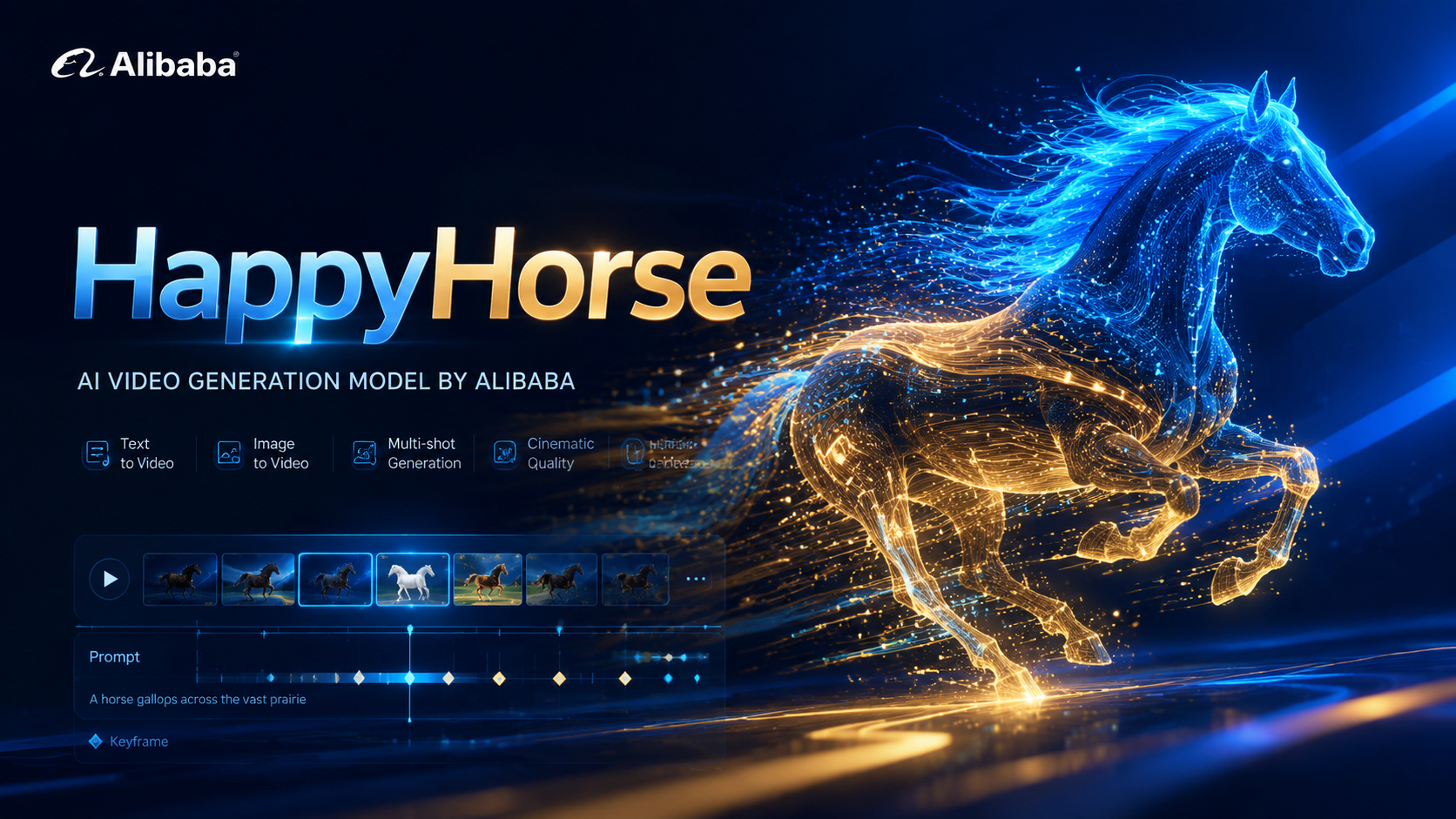
HappyHorse 是阿里巴巴下一代 AI 視頻模型,基於原生多模態架構打造。單一統一模型涵蓋四種生產場景——文字生視頻、圖像生視頻、多圖參考生視頻與視頻原位編輯,支援原生音訊與視頻聯合生成、720p/1080p 輸出,深度適配廣告行銷、電商展示、短劇製作與社群創意等內容生產。
HappyHorse 核心能力
原生多模態、一模型四場景、視頻原位編輯、720p/1080p 輸出
核心功能概覽
多圖參考生視頻
提供最多 5 張參考圖,HappyHorse 會將其合成為連貫鏡頭——Image 1 出角色、Image 2 出環境、Image 3 出道具等。模型在所有參考元素間保持身分、材質與光線一致,輕鬆完成複雜場景搭建。請在提示詞中使用 Image 1 / Image 2 等標籤精確綁定每個元素。
Image 1 中的女孩在陽光林間慢跑,Image 2 中的森林精靈像彗星般緊隨其後。
雙圖合成——主體 + 夥伴生靈
Image 1 中的偶像站在 Image 2 的水上舞台,面對巨大的發光月亮。
舞台 + 表演者組合,保留光線與水面反射
視頻原位編輯
上傳源視頻並描述要變更的內容。HappyHorse 會替換主體、服裝或整體渲染風格(如把真人畫面變成樂高、黏土或動漫),同時保持原始鏡頭路徑、節奏與構圖不變。適合在地化、創意重混與無需重拍就能快速驗證視覺方向。
把視頻中的少年替換為海綿寶寶踩滑板完成 kickflip,高品質寫實三維渲染。
主體替換保留運動
把整段視頻變成鮮豔的樂高世界,完整保留原有揮手動作與空間布局。
整場風格轉換,運動與布局不變
12 Real-world Cases
See HappyHorse in action across all four scenes: text, image, multi-image reference, and video editing.
3 Text-to-Video Cases
Generate video from pure text prompts with native audio
“A Pixar-style short about a nervous little traffic cone who dreams of being a finish line pylon at a major race. Other cones mock its ambitions. A construction worker accidentally places it at a marathon finish line. The cone's painted face shifts from terror to joy as runners pass. Confetti falls on its cone head. Other cones watch on TV, inspired. Audio: Traffic sounds becoming crowd cheers, inspirational swelling music.”
Duration: 5s
“8mm vintage film style, grainy texture, slight light leaks. A group of friends laughing and running on a beach in the 1970s. Sun-drenched colors, nostalgic atmosphere, handheld camera shaking slightly. Authentic retro look.”
Duration: 5s
“First-person POV (GoPro style), a high-speed mountain bike descent through a narrow, rocky forest trail. The camera vibrates with the bumps, trees rushing past in a blur. Intense sunlight filtering through the canopy. Adrenaline-pumping action, immersive sound of tires on gravel.”
Duration: 5s
3 Image-to-Video Cases
Animate still images into motion with synchronized sound
“Tracking shot as the girl walks gracefully through the meadow. Her dress and hair flutter in the wind, and clouds drift slowly. Cinematic audio of soft footsteps on grass, rustling summer wind, and melodic bird calls.”
Duration: 5s
“First-person POV. The camera glides smoothly and continuously forward deep into the sci-fi corridor. Glowing neon lights pass by rapidly on both sides. Tiny glowing dust particles float in the illuminated air. Steady tracking shot, immersive atmosphere.”
Duration: 5s
“Time-lapse effect. The thick morning mist rolls and flows fluidly through the pine trees like a slow-moving river. The bright volumetric light rays shift their angle dynamically as the sun rises. Cinematic slow zoom in.”
Duration: 5s
3 Multi-Image Reference Cases
Combine up to 5 reference images into a coherent scene
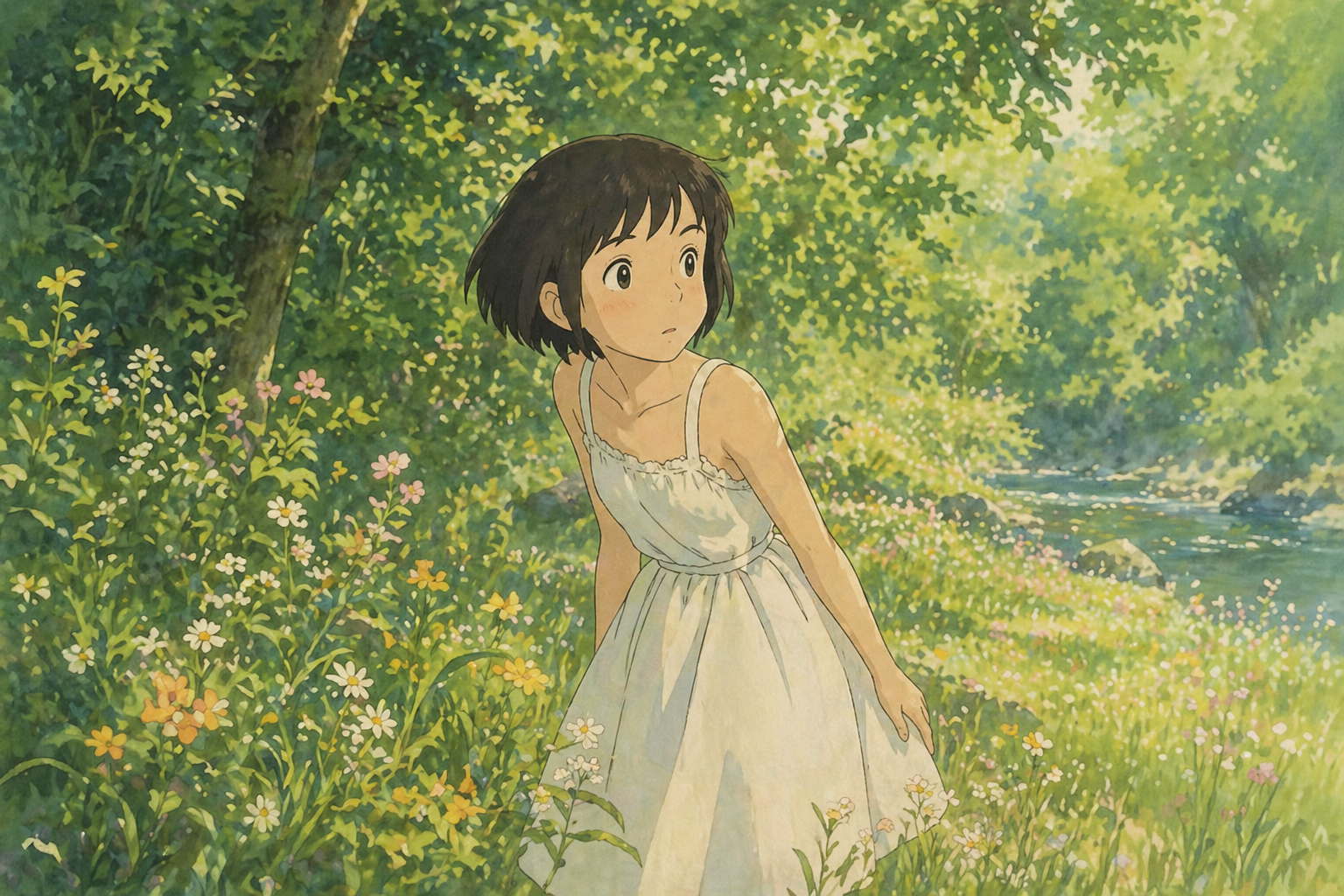

“The girl from Image 1 is jogging lightly through a sunlit forest. The glowing forest spirit from Image 2 playfully flies closely behind her like a small comet, leaving a faint luminous trail in the air. Golden light filters through the dense trees. Cinematic audio of soft, quick footsteps on grass, a gentle magical whoosh, and distant bird calls.”
Duration: 5s
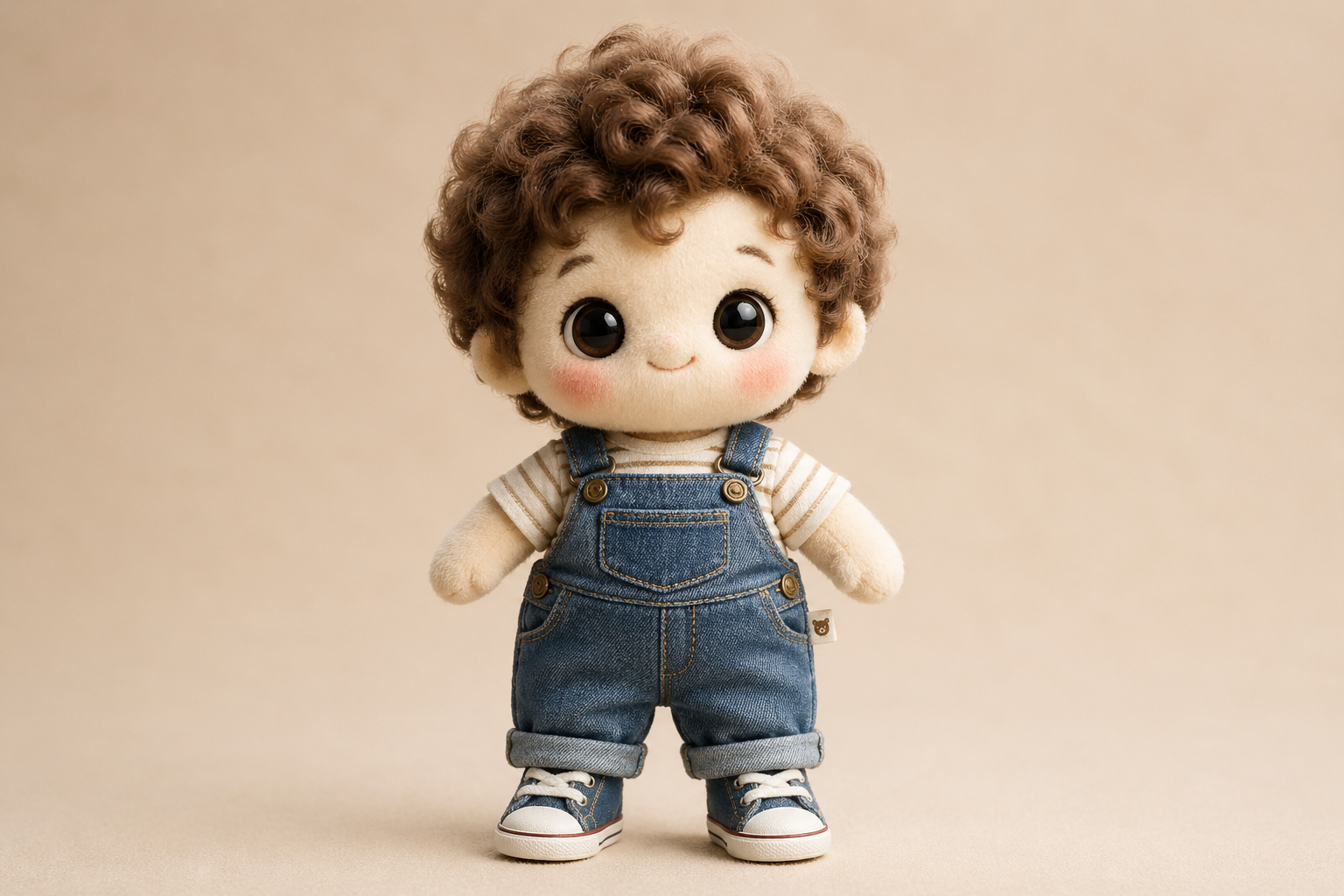

“Place the cotton doll from Image 1 into the vintage room from Image 2. The doll sits on the wooden workbench, gently swinging its legs, looking around curiously. Keep the lighting of Image 2 and the plush texture of Image 1 strictly consistent.”
Duration: 5s
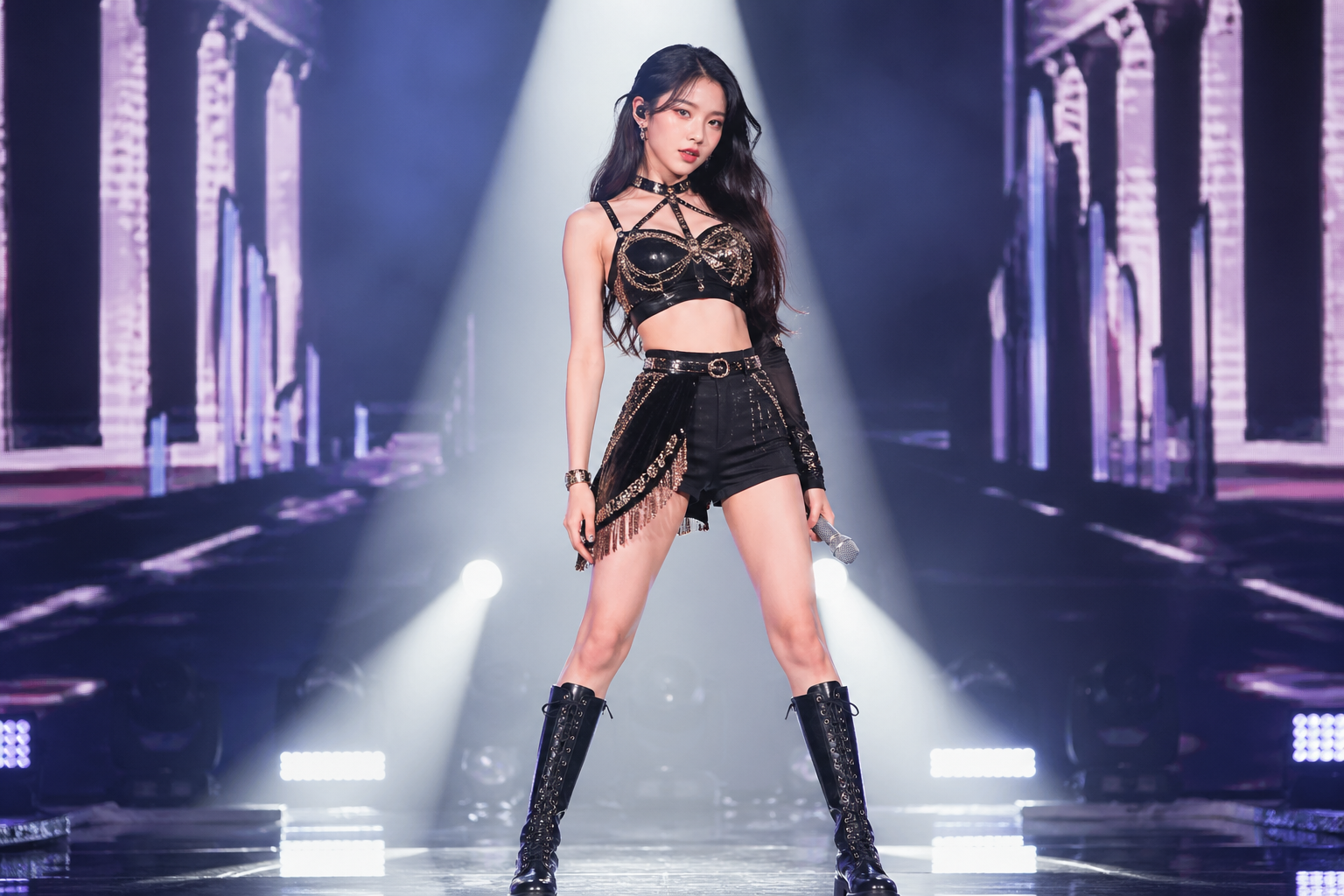
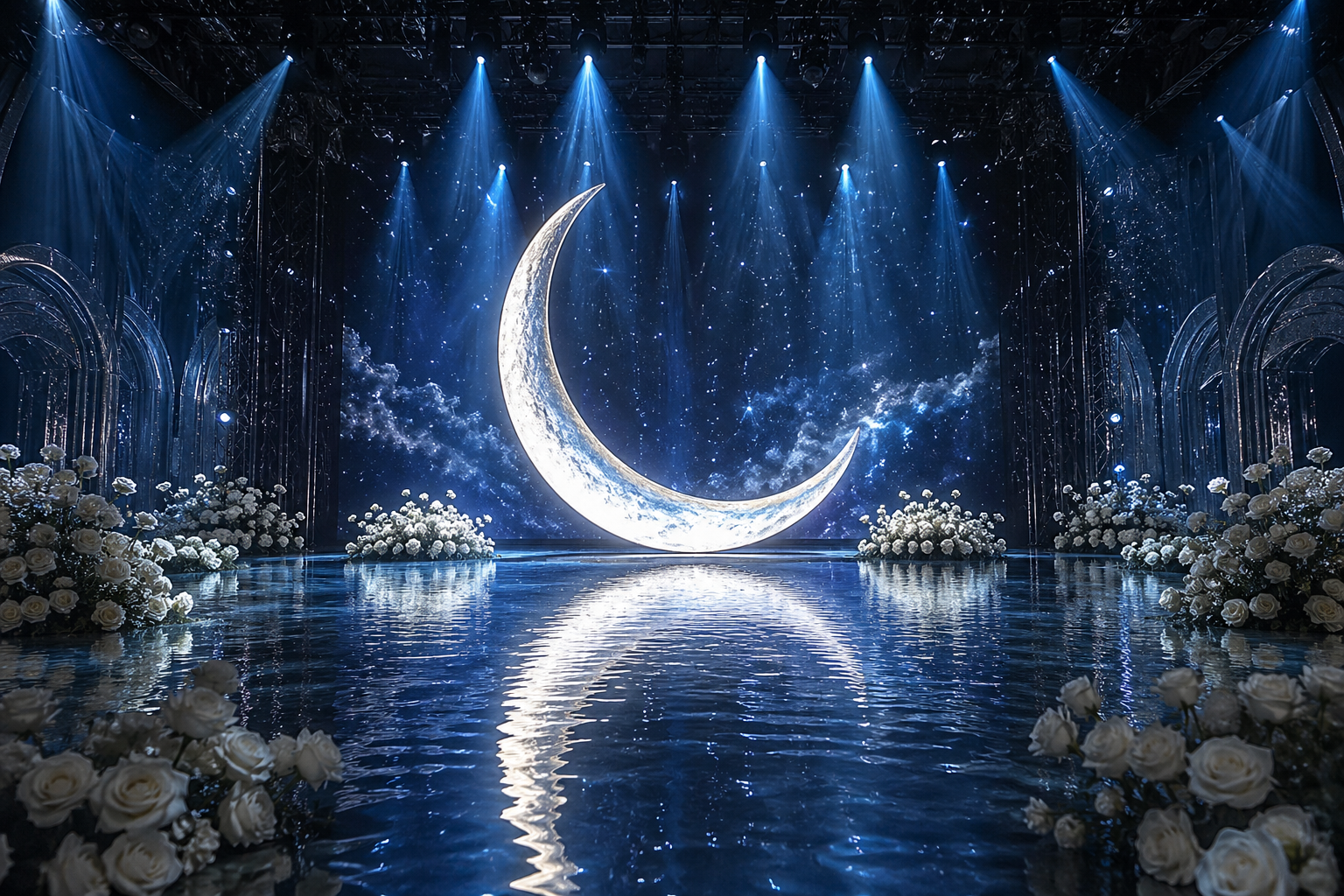
“The idol from Image 1 stands on the water stage from Image 2, directly in front of the giant glowing moon. The idol steps forward slowly, creating gentle ripples in the water, and raises the microphone to sing. The soft blue light from the moon reflects perfectly on the idol's outfit.”
Duration: 5s
3 Video Edit Cases
Replace subjects, styles, or elements while keeping camera motion
“Replace the teenage boy in the video with SpongeBob SquarePants. He should retain his classic iconic look: a yellow rectangular sea sponge with large blue eyes, wearing a white collared shirt, red tie, and brown square pants. SpongeBob should be riding the skateboard naturally and performing the kickflip. Render him in a high-quality 3D realistic style to match the lighting and shadows of the real-world park background. Keep the original camera tracking and motion exactly the same.”
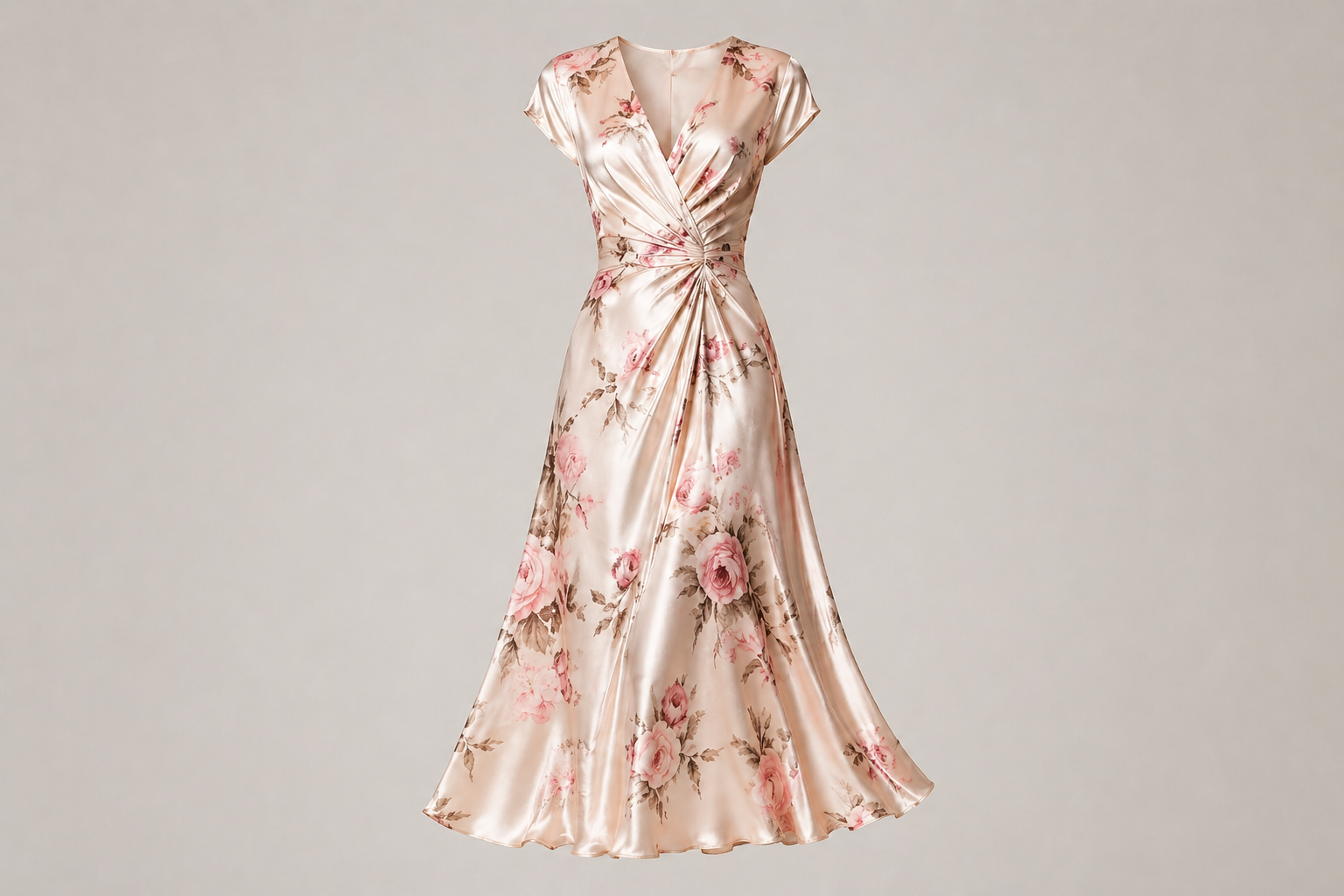
“Replace the grey hoodie and pants with the floral silk skirt from the reference image. The skirt should flow and sway naturally with the woman's walking and spinning motion. Keep her face, hair, and the living room background exactly the same.”
“Transform the entire video into a vibrant Lego world. The person, the desk, and every object in the room should be constructed from high-quality plastic Lego bricks. Keep the original waving motion and spatial layout perfectly. The lighting should be bright and clean, like a professional Lego toy commercial.”
HappyHorse 常見問題
HappyHorse FAQ
HappyHorse AI影片生成器適合線上圖片編輯、AI圖片生成、內容草稿和社交媒體視覺製作,頁面內容集中在同一個搜尋意圖。
HappyHorse AI影片生成器可以在線上直接測試效果,先查看預覽,再按需要進行更多生成或編輯。
HappyHorse AI影片生成器建議使用清晰、光線充足、主體明確的圖片。原圖越乾淨,AI處理結果通常越穩定。
HappyHorse AI影片生成器生成的結果可按項目需要使用,但原圖、人物、商標和品牌素材的授權仍需由使用者自行確認。
使用HappyHorse AI影片生成器時,請提供清楚提示詞、明確主體、合適比例和必要細節,避免一次加入太多不相關要求。
HappyHorse AI影片生成器是瀏覽器工具,桌面和手機都可以使用。大型圖片或多次調整建議在桌面操作。
HappyHorse AI影片生成器的輸出規則會按所選模型和功能而不同,下載前可先檢查預覽畫面。
HappyHorse AI影片生成器會用AI處理分析、生成和修改步驟,適合快速製作草稿、比較版本和完成線上圖片任務。
創作者對 HappyHorse 的評價
“HappyHorse AI影片生成器讓我很快完成圖片草稿,適合每日社交內容製作。”
Ka Man: “HappyHorse AI影片生成器讓我很快完成圖片草稿,適合每日社交內容製作。”
Wing: “HappyHorse AI影片生成器的提示詞理解穩定,用來測試廣告視覺很方便。”
Hei: “我用HappyHorse AI影片生成器處理產品圖,省下很多重複修圖時間。”
Chloe: “HappyHorse AI影片生成器可以快速比較不同版本,客戶溝通更直接。”
Jason: “HappyHorse AI影片生成器幫我先確認畫面風格,再安排後續製作。”
Yuki: “HappyHorse AI影片生成器生成速度快,適合短時間內準備多個貼文方案。”
Marco: “HappyHorse AI影片生成器保留主體細節,同時能快速完成需要的調整。”
Anson: “HappyHorse AI影片生成器不用安裝軟件,直接在線上就能完成圖片任務。”