HappyHorse
알리바바의 차세대 멀티모달 영상 모델. 오디오-비디오 네이티브 공동 생성을 지원하며, 하나의 통합 모델로 네 가지 프로덕션 시나리오(텍스트, 이미지, 다중 이미지 참조, 인플레이스 편집)를 커버합니다. FireRed Image Edit 에서 무료로 사용해 보세요.
HappyHorse 소개
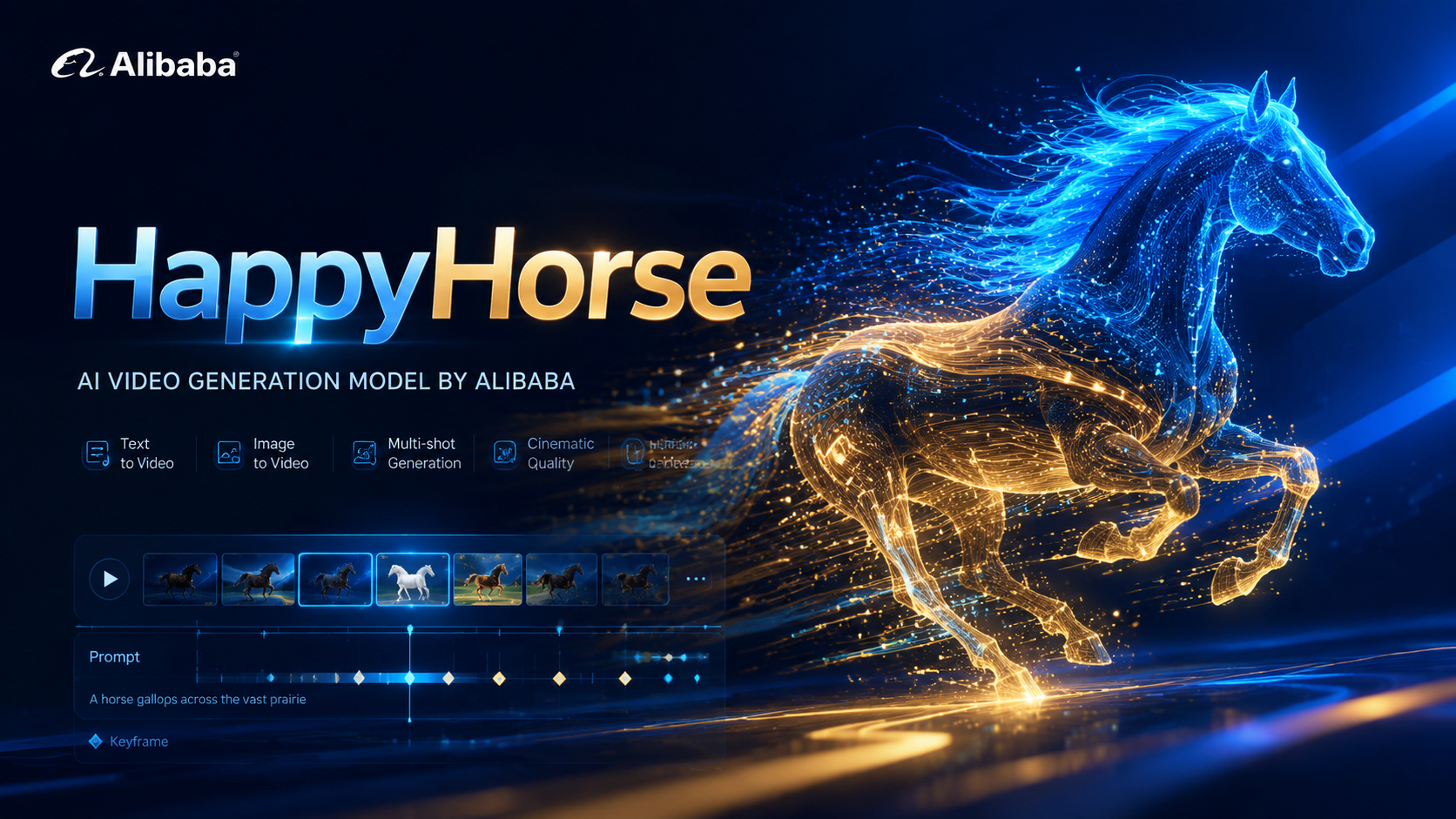
HappyHorse는 알리바바의 차세대 AI 영상 모델로, 네이티브 멀티모달 아키텍처를 기반으로 설계되었습니다. 하나의 통합 모델로 네 가지 프로덕션 시나리오(텍스트→영상, 이미지→영상, 다중 이미지 참조→영상, 인플레이스 영상 편집)를 지원하며, 네이티브 오디오·비디오 공동 합성과 720p/1080p 출력을 갖추고 광고, 이커머스, 숏폼 드라마, 소셜 크리에이티브 콘텐츠 제작에 최적화되어 있습니다.
HappyHorse 주요 기능
네이티브 멀티모달, 1모델 4시나리오, 인플레이스 편집, 720p/1080p 출력
Core Features Overview
다중 이미지 참조→영상
최대 5장의 참조 이미지를 제공하면 HappyHorse가 이를 하나의 일관된 샷으로 합성합니다 — Image 1에서 캐릭터, Image 2에서 환경, Image 3에서 소품 등. 모델은 모든 참조 요소 전반에서 아이덴티티, 질감, 조명을 유지해 복잡한 촬영이나 3D 세팅 없이도 장면을 구축할 수 있게 해줍니다. 프롬프트에 Image 1 / Image 2 같은 레이블을 사용해 각 요소를 정확히 바인딩하세요.
Image 1의 소녀가 햇살이 비추는 숲을 가볍게 달리고, Image 2의 숲 정령이 작은 혜성처럼 뒤를 따른다.
두 이미지 합성 — 주체와 동반 정령
Image 1의 아이돌이 Image 2의 물 위 무대에 서서, 거대한 빛나는 달을 정면으로 바라본다.
무대와 퍼포머의 합성, 조명과 수면 반사 유지
인플레이스 영상 편집
원본 영상을 업로드하고 변경하려는 내용을 설명하기만 하면, HappyHorse는 피사체, 의상 또는 전체 렌더링 스타일(실사를 레고, 클레이, 애니메 스타일로 변환)을 교체하면서 원본 카메라 경로, 타이밍, 구도를 완전히 유지합니다. 로컬라이제이션, 크리에이티브 리믹스, 재촬영 없이 “만약에” 시나리오를 빠르게 검증할 때 이상적입니다.
영상 속 소년을 스펀지밥으로 교체해 스케이트보드에서 kickflip을 시연. 고품질 3D 사실적 렌더.
모션을 유지한 피사체 교체
전체 영상을 생동감 있는 레고 월드로 변환. 원본의 손 흔드는 동작과 공간 레이아웃을 완벽히 유지.
전체 신 스타일 변환, 모션과 레이아웃은 그대로
12 Real-world Cases
See HappyHorse in action across all four scenes: text, image, multi-image reference, and video editing.
3 Text-to-Video Cases
Generate video from pure text prompts with native audio
“A Pixar-style short about a nervous little traffic cone who dreams of being a finish line pylon at a major race. Other cones mock its ambitions. A construction worker accidentally places it at a marathon finish line. The cone's painted face shifts from terror to joy as runners pass. Confetti falls on its cone head. Other cones watch on TV, inspired. Audio: Traffic sounds becoming crowd cheers, inspirational swelling music.”
Duration: 5s
“8mm vintage film style, grainy texture, slight light leaks. A group of friends laughing and running on a beach in the 1970s. Sun-drenched colors, nostalgic atmosphere, handheld camera shaking slightly. Authentic retro look.”
Duration: 5s
“First-person POV (GoPro style), a high-speed mountain bike descent through a narrow, rocky forest trail. The camera vibrates with the bumps, trees rushing past in a blur. Intense sunlight filtering through the canopy. Adrenaline-pumping action, immersive sound of tires on gravel.”
Duration: 5s
3 Image-to-Video Cases
Animate still images into motion with synchronized sound
“Tracking shot as the girl walks gracefully through the meadow. Her dress and hair flutter in the wind, and clouds drift slowly. Cinematic audio of soft footsteps on grass, rustling summer wind, and melodic bird calls.”
Duration: 5s
“First-person POV. The camera glides smoothly and continuously forward deep into the sci-fi corridor. Glowing neon lights pass by rapidly on both sides. Tiny glowing dust particles float in the illuminated air. Steady tracking shot, immersive atmosphere.”
Duration: 5s
“Time-lapse effect. The thick morning mist rolls and flows fluidly through the pine trees like a slow-moving river. The bright volumetric light rays shift their angle dynamically as the sun rises. Cinematic slow zoom in.”
Duration: 5s
3 Multi-Image Reference Cases
Combine up to 5 reference images into a coherent scene
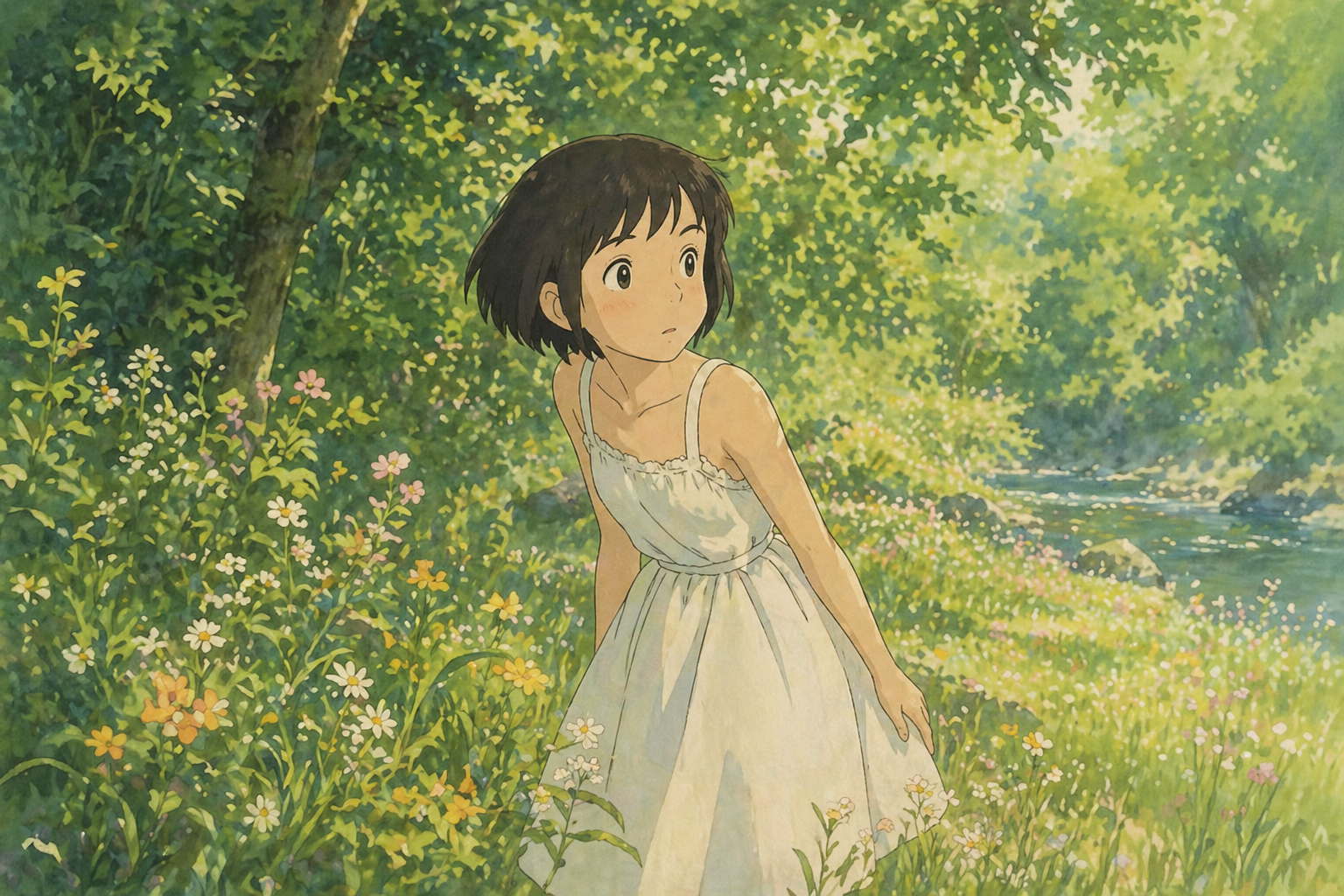
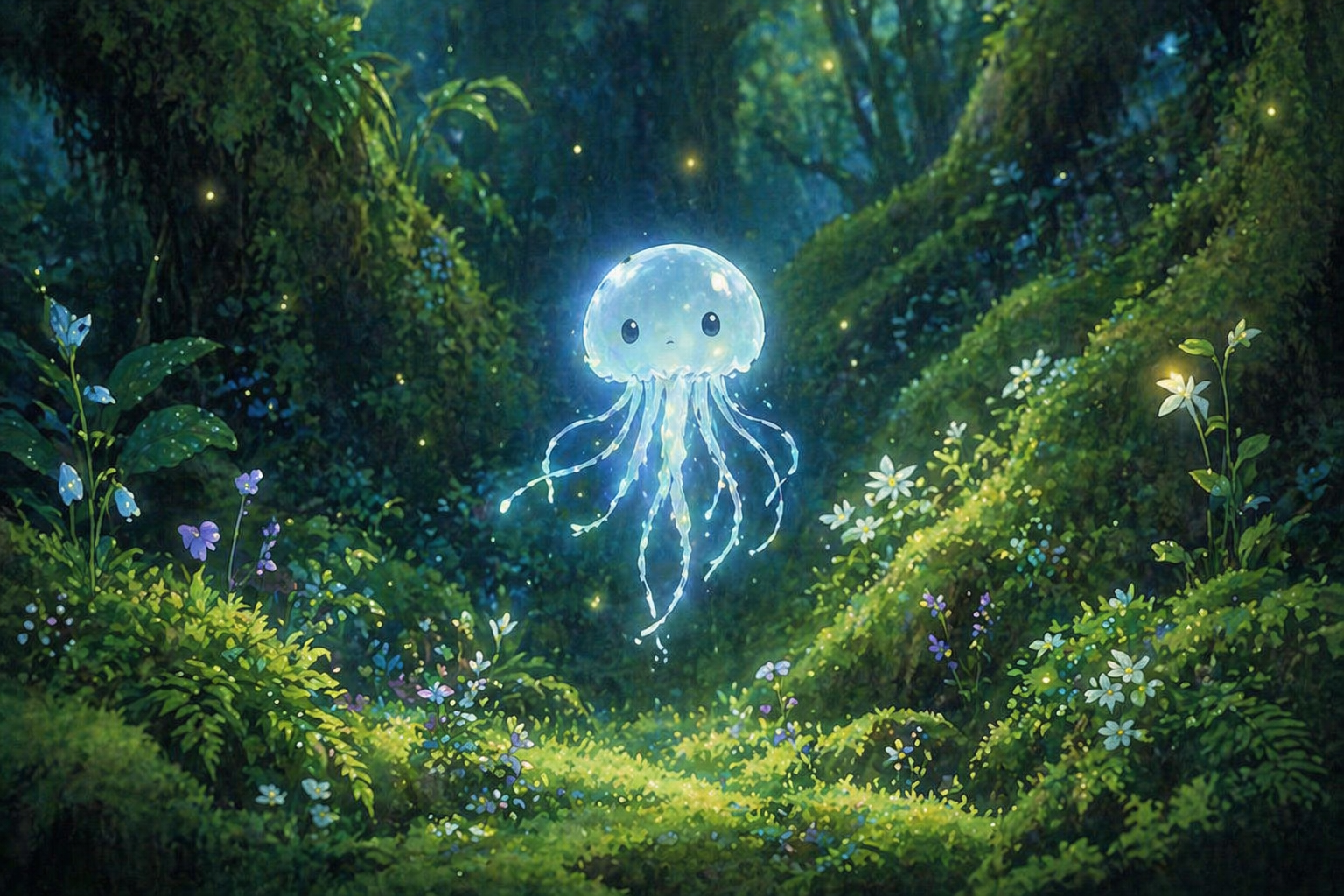
“The girl from Image 1 is jogging lightly through a sunlit forest. The glowing forest spirit from Image 2 playfully flies closely behind her like a small comet, leaving a faint luminous trail in the air. Golden light filters through the dense trees. Cinematic audio of soft, quick footsteps on grass, a gentle magical whoosh, and distant bird calls.”
Duration: 5s
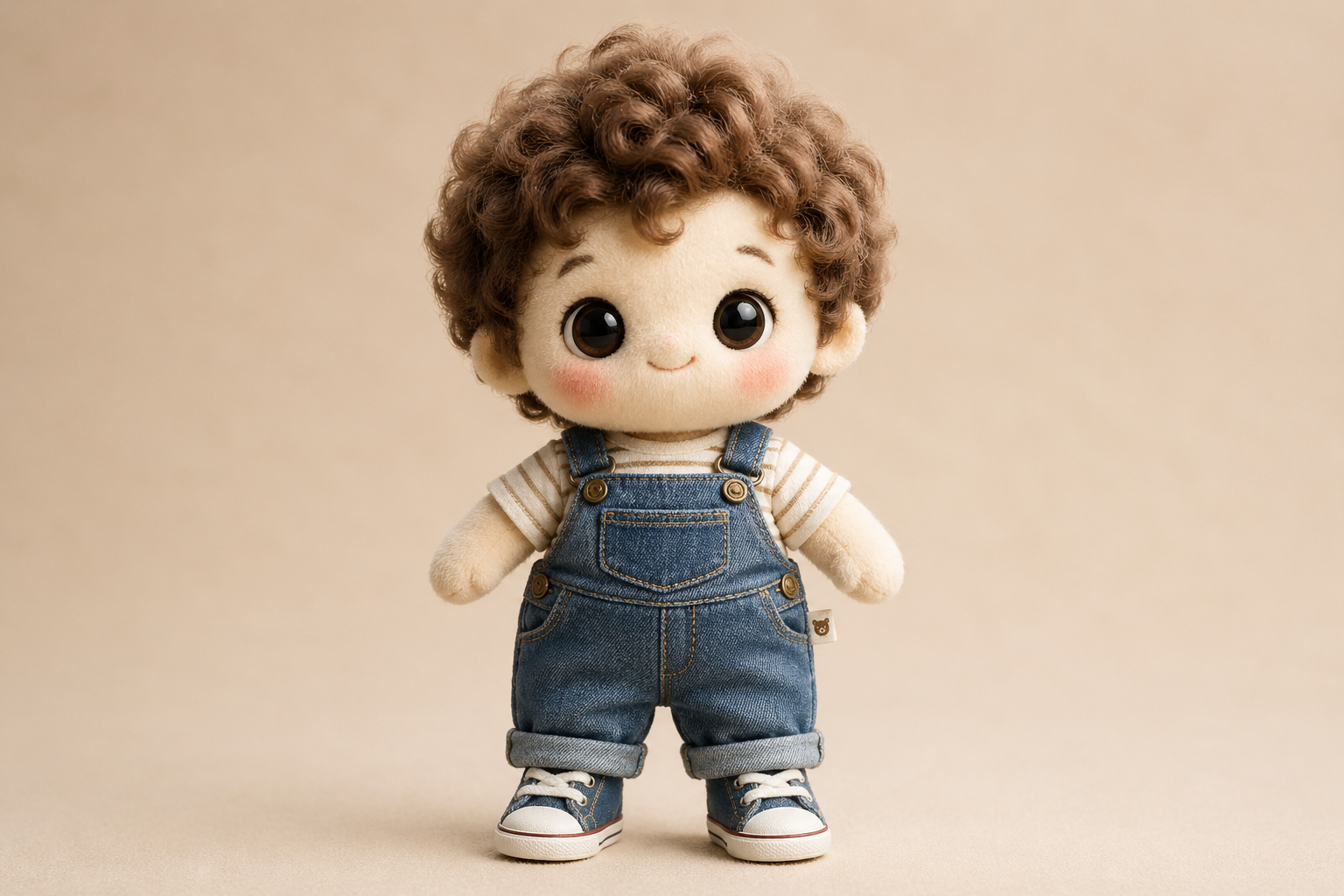
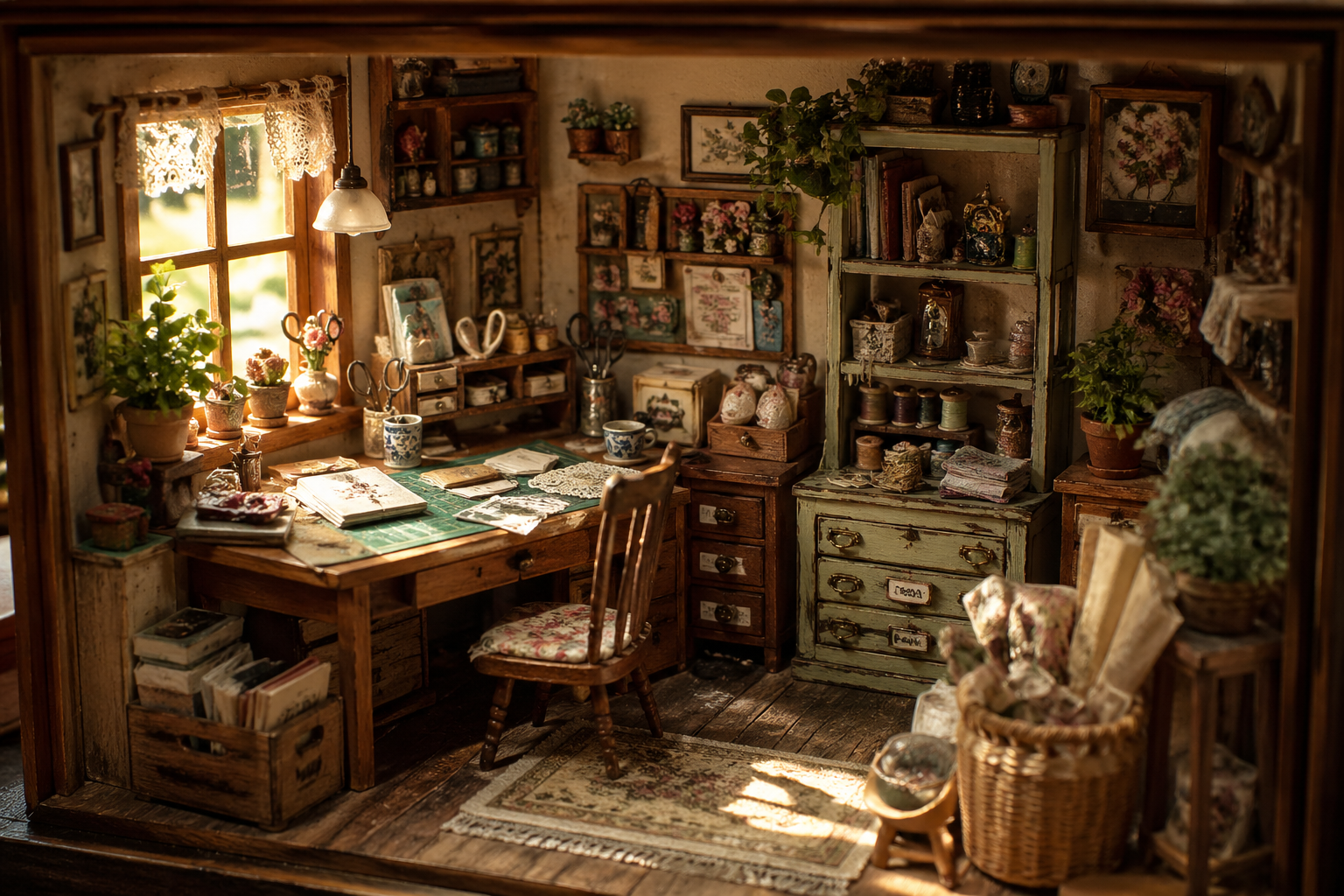
“Place the cotton doll from Image 1 into the vintage room from Image 2. The doll sits on the wooden workbench, gently swinging its legs, looking around curiously. Keep the lighting of Image 2 and the plush texture of Image 1 strictly consistent.”
Duration: 5s
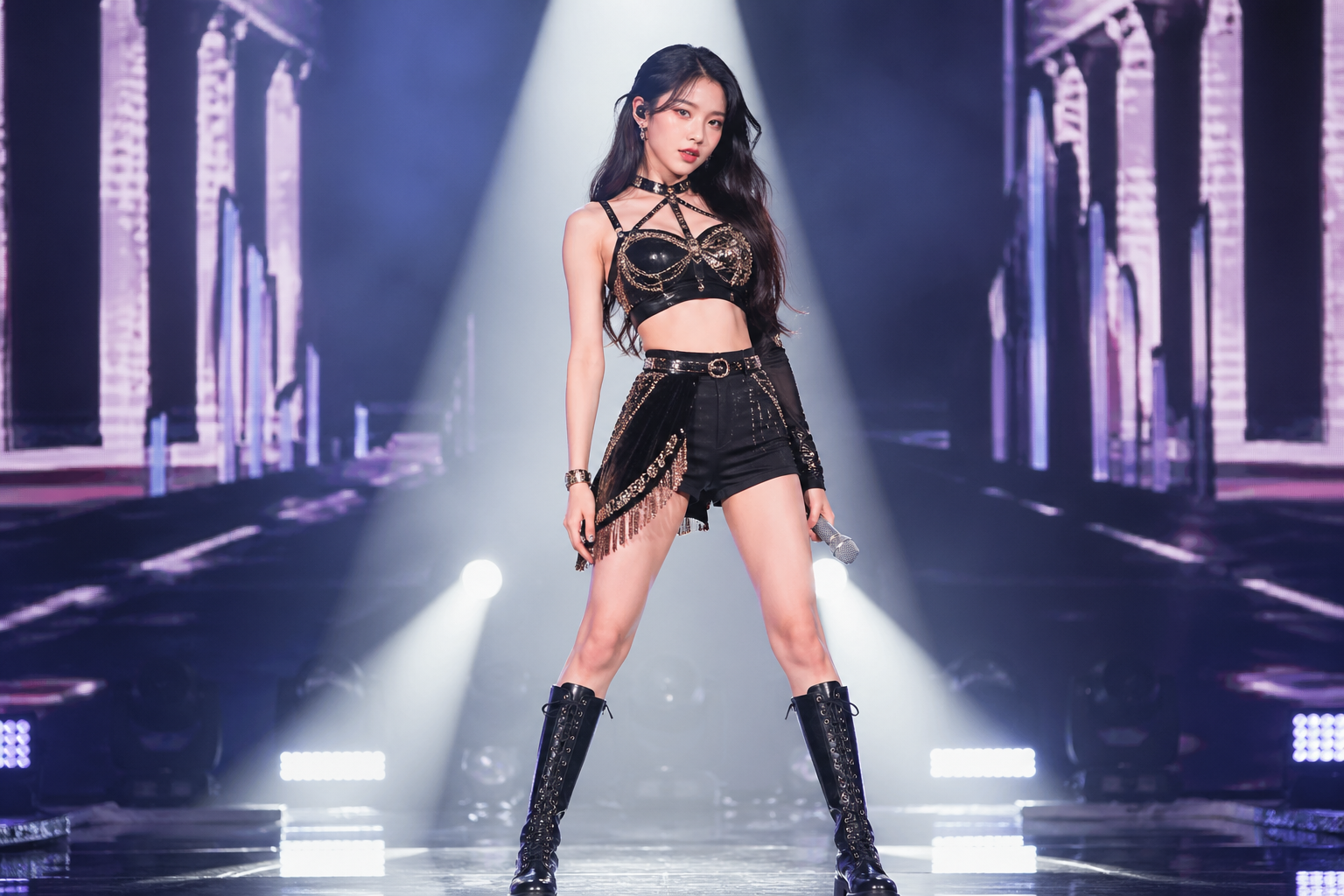
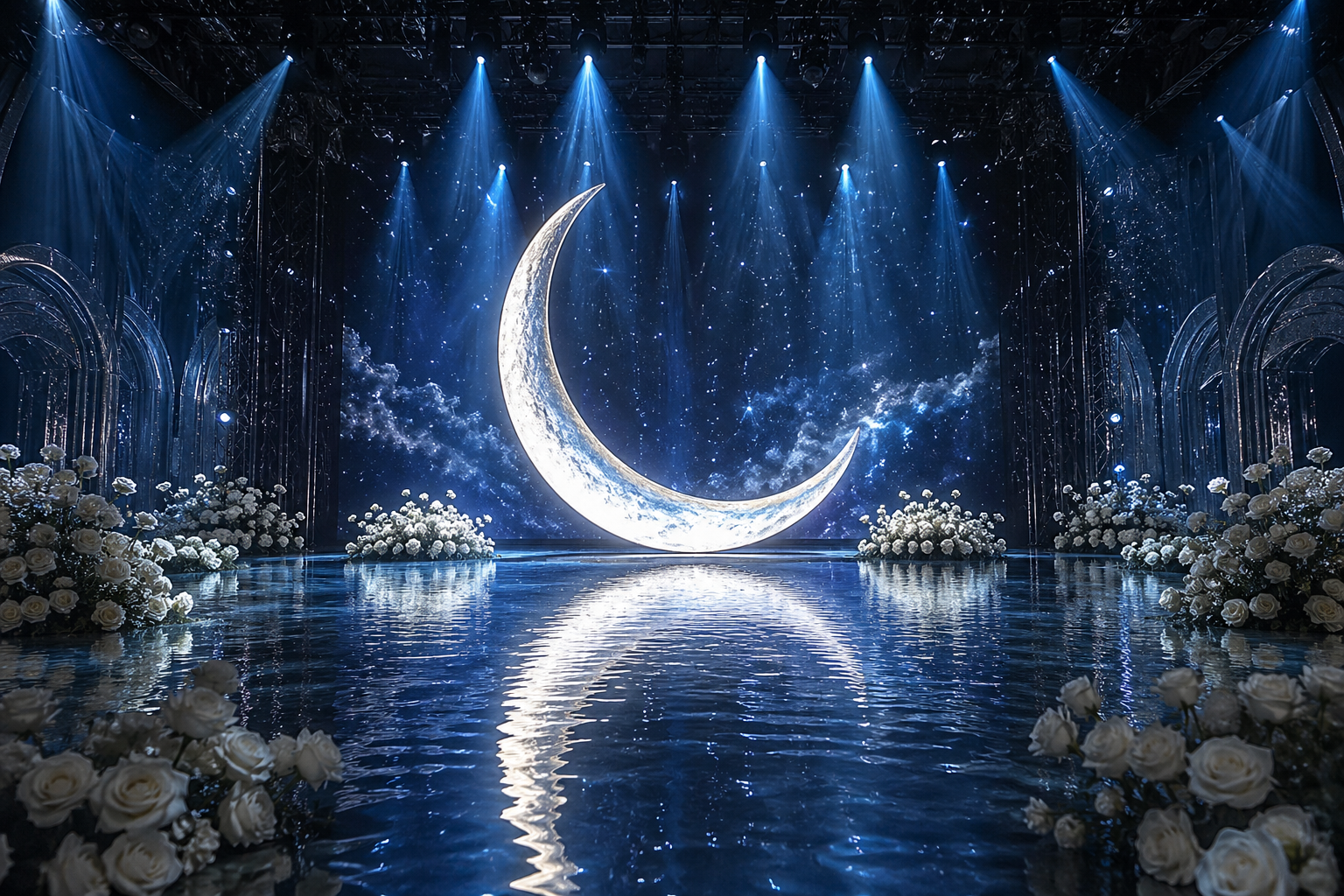
“The idol from Image 1 stands on the water stage from Image 2, directly in front of the giant glowing moon. The idol steps forward slowly, creating gentle ripples in the water, and raises the microphone to sing. The soft blue light from the moon reflects perfectly on the idol's outfit.”
Duration: 5s
3 Video Edit Cases
Replace subjects, styles, or elements while keeping camera motion
“Replace the teenage boy in the video with SpongeBob SquarePants. He should retain his classic iconic look: a yellow rectangular sea sponge with large blue eyes, wearing a white collared shirt, red tie, and brown square pants. SpongeBob should be riding the skateboard naturally and performing the kickflip. Render him in a high-quality 3D realistic style to match the lighting and shadows of the real-world park background. Keep the original camera tracking and motion exactly the same.”
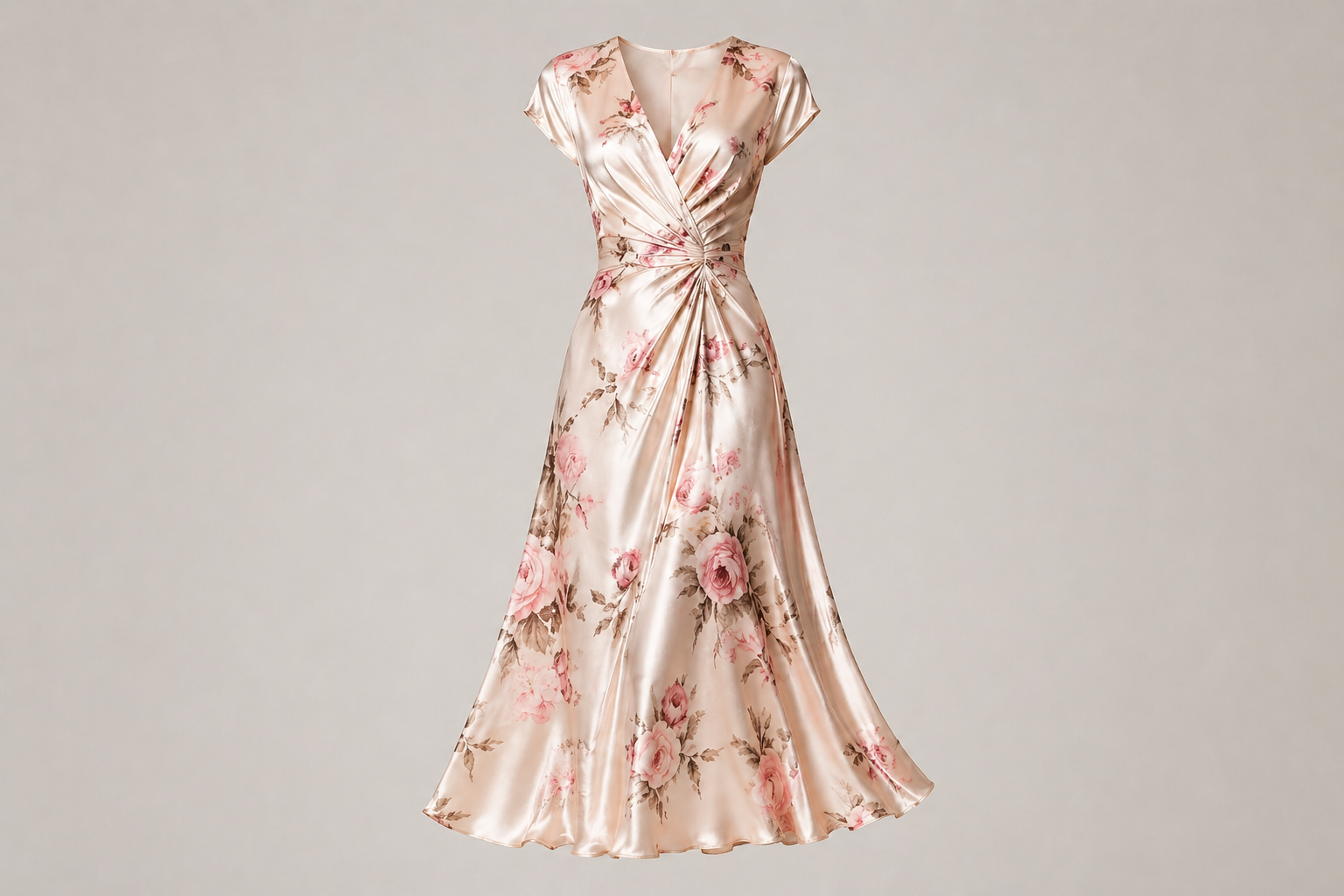
“Replace the grey hoodie and pants with the floral silk skirt from the reference image. The skirt should flow and sway naturally with the woman's walking and spinning motion. Keep her face, hair, and the living room background exactly the same.”
“Transform the entire video into a vibrant Lego world. The person, the desk, and every object in the room should be constructed from high-quality plastic Lego bricks. Keep the original waving motion and spatial layout perfectly. The lighting should be bright and clean, like a professional Lego toy commercial.”
HappyHorse FAQ
HappyHorse FAQ
HappyHorse AI 비디오 생성기는 사진 편집, 이미지 생성, 콘텐츠 제작처럼 같은 검색 의도를 가진 작업에 맞춰 설계된 온라인 AI 도구입니다.
HappyHorse AI 비디오 생성기는 온라인에서 바로 테스트할 수 있으며, 결과를 확인한 뒤 필요한 만큼 추가 생성이나 편집을 진행할 수 있습니다.
HappyHorse AI 비디오 생성기에는 선명하고 주요 피사체가 잘 보이는 이미지를 사용하는 것이 좋습니다. 흐린 사진보다 밝고 깨끗한 원본이 더 안정적인 결과를 만듭니다.
HappyHorse AI 비디오 생성기로 만든 결과는 프로젝트 목적에 맞게 활용할 수 있지만, 업로드한 원본 이미지와 브랜드, 인물 권리는 사용자가 직접 확인해야 합니다.
HappyHorse AI 비디오 생성기에서는 구체적인 프롬프트, 명확한 주제, 적절한 이미지 비율을 함께 지정하면 더 일관된 결과를 얻을 수 있습니다.
HappyHorse AI 비디오 생성기는 브라우저 기반 도구이므로 데스크톱과 모바일에서 모두 사용할 수 있습니다. 큰 이미지는 데스크톱에서 작업하면 더 편합니다.
HappyHorse AI 비디오 생성기의 출력 정책은 선택한 모델과 기능에 따라 달라질 수 있습니다. 다운로드 전에 미리보기에서 결과를 확인하세요.
HappyHorse AI 비디오 생성기는 반복 수작업을 줄이고 AI가 이미지 분석과 생성을 처리하도록 설계되어, 빠른 시안 제작과 온라인 편집에 더 적합합니다.
크리에이터가 말하는 HappyHorse
“HappyHorse AI 비디오 생성기로 썸네일 시안을 빠르게 만들 수 있어 작업 시간이 줄었습니다.”
민지: “HappyHorse AI 비디오 생성기로 썸네일 시안을 빠르게 만들 수 있어 작업 시간이 줄었습니다.”
서준: “HappyHorse AI 비디오 생성기는 프롬프트 의도를 잘 따라가서 캠페인 이미지 테스트에 유용합니다.”
하윤: “HappyHorse AI 비디오 생성기 덕분에 제품 이미지 보정과 변형 작업을 브라우저에서 바로 처리합니다.”
지호: “HappyHorse AI 비디오 생성기의 결과가 안정적이라 짧은 콘텐츠 제작 전에 콘셉트를 확인하기 좋습니다.”
유나: “HappyHorse AI 비디오 생성기는 같은 스타일을 여러 번 비교할 때 편하고 결과도 깔끔합니다.”
도윤: “HappyHorse AI 비디오 생성기를 쓰면 간단한 수정은 별도 소프트웨어 없이 해결됩니다.”
수아: “HappyHorse AI 비디오 생성기로 게시물 이미지 후보를 빠르게 만들고 바로 비교할 수 있습니다.”
현우: “HappyHorse AI 비디오 생성기는 원본 디테일을 유지하면서 필요한 부분을 빠르게 다듬는 데 도움이 됩니다.”