
FireRed Image Edit
  • Home
  • Reviews
  • Assets
  • Coupons
  • Pricing
Models
FireRed Image EditGPT Image 2.5 FlareGPT Image 2.5 SunburstSeedream 5.0 ProSeedream 5.0 LiteSeedream 5.0 FlashNano Banana 2Nano Banana 2 LiteNano Banana ProNano Banana 2.1MiniMax H3 Max TurboMiniMax H3MiniMax H3 MaxSeedance 1.5 ProSeedance 2Seedance 2.5Seedance 2 FastSeedance 2 MiniGemini Omni 1.1 FlashGemini OmniWan 3.0 VideoWan 3.0 Video PrimeWan 2.6Veo 3.1 QualityPixVerse V6Kling 3.0Kling 3.0 OmniKling 3.0 Motion ControlVidu Q4
FireRed Image EditFireRed Image Edit

PixVerse V6 AI Video Generator

Choose a PixVerse V6 workflow for a prompt, an image, first and last frames, or a source video. Set duration, quality, audio, and other supported options before submitting the task.
PixVerse V6 AI Video Generator
  1. Home
  2. /
  3. AI Video Generator
  4. /
  5. PixVerse V6 AI Video Generator
About

PixVerse V6 video workflows

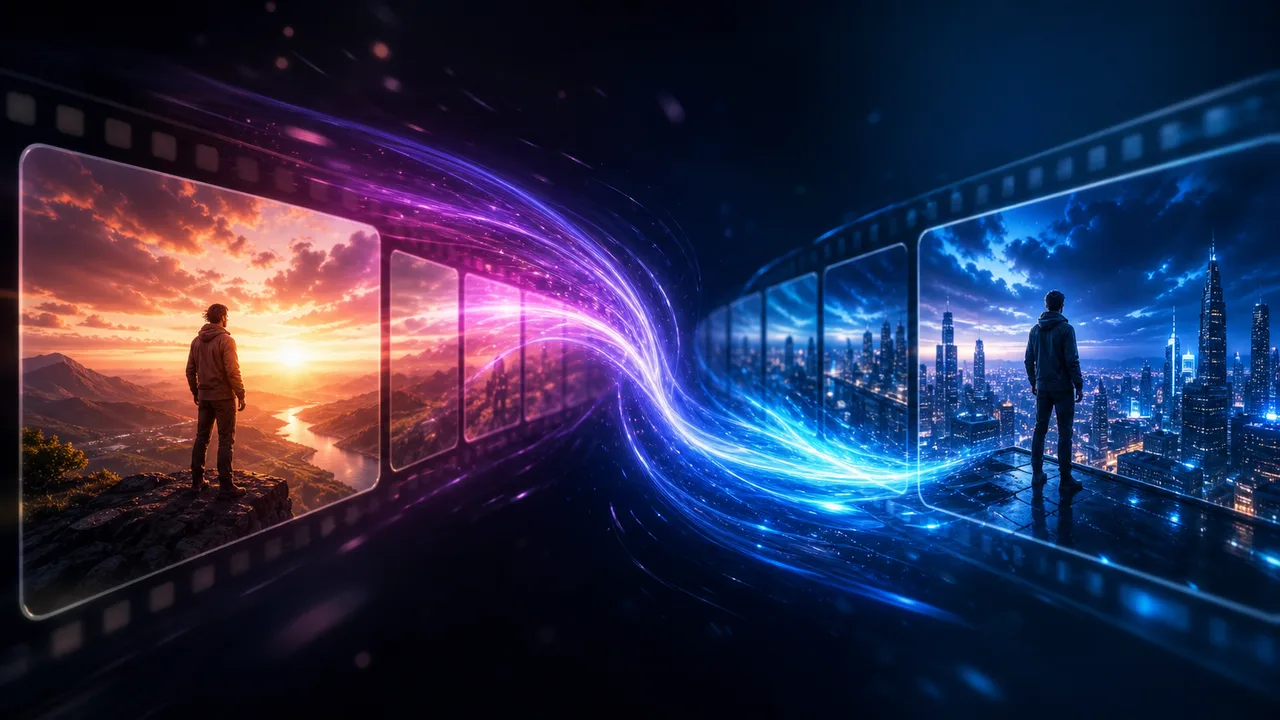
PixVerse V6 provides four documented video workflows: text-to-video, image-to-video, first-and-last-frame transition, and video extension. The available output qualities are 360p, 540p, 720p, and 1080p; duration can be set from 1 to 15 seconds. Generated audio is an optional setting, and credits are calculated per second according to workflow, quality, and audio selection.

PixVerse V6 video workflows

PixVerse V6 generation modes

Match the workflow to the input you have: a prompt, an image, two frame images, or a source video.

Text to video

Submit a prompt with an aspect ratio, duration, quality, audio switch, optional multi-clip switch, and optional seed.

Image to video

Submit an image URL with a prompt, duration, quality, audio switch, optional multi-clip switch, and optional seed.

First-and-last-frame transition

Submit first_frame_image_url and last_frame_image_url with a prompt, duration, quality, audio switch, and optional seed.

Video extension

Extend a prior video task with taskId or a source video URL, then set the prompt, duration, quality, audio switch, and optional seed.

FAQ

PixVerse V6 questions

PixVerse V6 AI Video Generator FAQ

01

PixVerse V6 supports text-to-video, image-to-video, first-and-last-frame transition, and video extension workflows.

02

The documented quality options are 360p, 540p, 720p, and 1080p. Duration is configurable from 1 to 15 seconds.

03

Audio is optional. For text-to-video, image-to-video, and transition, the no-audio/with-audio rates are 360p 4.0/5.6, 540p 5.6/7.2, 720p 7.2/9.6, and 1080p 14.4/18.4 credits per second. Video extension rates are 360p 4.5/6.3, 540p 6.3/8.1, 720p 8.1/10.8, and 1080p 16.2/20.7 credits per second.

04

Text-to-video uses a prompt. Image-to-video uses a prompt and image URL. Transition uses first and last frame image URLs. Video extension uses a prior task ID or source video URL together with a prompt.

Explore More AI Video Models

Veo 3.1 Free AI Video Generator

Veo 3.1 Free AI Video Generator

New

Veo 3.1 is Google DeepMind's most advanced free AI video generator with native audio generation. It creates synchronized sound effects, dialogue, and environmental audio alongside 1080p video at 24 FPS — all available online with no watermark. Generate unlimited HD videos up to 8 seconds per clip, extendable to 60+ seconds.

Try now
Sora 2

Sora 2

Sora 2 is OpenAI's flagship video generation model capable of producing high-quality videos from both text descriptions and image inputs. It understands complex scene compositions, character interactions, camera movements, and real-world physics to deliver cinematic results. Sora 2 represents a major leap in AI video generation with improved temporal consistency, longer duration support, and more faithful prompt interpretation.

Try now
HappyHorse

HappyHorse

New

HappyHorse is Alibaba's next-generation AI video model built on a native multimodal architecture. A single unified model covers four production scenarios — text-to-video, image-to-video, multi-image reference-to-video, and in-place video editing — with native audio-video synthesis, 720p/1080p output, and deep adaptation for advertising, e-commerce, short drama, and social creative content production.

Try now
Wan 2.6

Wan 2.6

New

Wan 2.6 is Alibaba's video generation model delivering high-quality videos with diverse style support, smooth motion, and cinematic output from text prompts and reference images.

Try now
Kling 2.6

Kling 2.6

Kling 2.6 is Kuaishou's latest AI video generation model, recognized for its exceptional motion quality and cinematic output. Built on advanced spatiotemporal modeling, Kling 2.6 produces videos with fluid character movement, dynamic camera transitions, and rich visual detail. It supports both text-to-video and image-to-video generation, making it a versatile tool for creators seeking professional-quality AI video content.

Try now
Seedance 1.5 Pro

Seedance 1.5 Pro

Seedance 1.5 Pro is ByteDance's professional AI video generation model with a focus on dance, motion, and dynamic human movement. It produces fluid, natural choreography with accurate body mechanics, supporting text-to-video and image-to-video generation at up to 1080p resolution and 12 seconds duration.

Try now

Use PixVerse V6 for your next video task

Select a PixVerse V6 workflow, configure the supported options, and submit the video task.

Open PixVerse V6 generator
user 1
user 2
user 3
user 4
user 5

10,000+ users

FireRed Image EditFireRed Image Edit

FireRed Image Edit is an open-source, general-purpose image editing model by Xiaohongshu, trained on 1.6 billion samples for production-grade editing.

AI Image Generator

  • GPT-Image 2
  • Seedream 5.0
  • Nano Banana 2
  • Grok 4.2 Image
  • Nano Banana Pro

AI Video Generator

  • Gemini Omni
  • HappyHorse
  • Seedance 2
  • Veo 3.1
  • Grok Imagine 1.5
  • Wan 2.6

AI Tools

  • Background Remover
  • Image Upscaler
  • Photo Restoration
  • AI Background Changer
  • AI Object Remover
  • AI Product Photo Generator

Video Effects

  • AI Hug Video
  • AI Kiss Video
  • AI Dance Video
  • Earth Zoom Out
  • Bullet Time Video
  • Product 360° Video

Explore

  • Showcases
  • Blog
  • Pricing
  • API
  • Changelog
  • About
© 2026 FireRed Image Edit· All rights reserved
Privacy PolicyTerms of ServiceRefund PolicyRefund RequestAbout Us
DeutschEnglishEspañolFrançais繁體中文日本語한국어Türkçe中文עבריתPolski
HomeAI ToolsAssetsProfile



