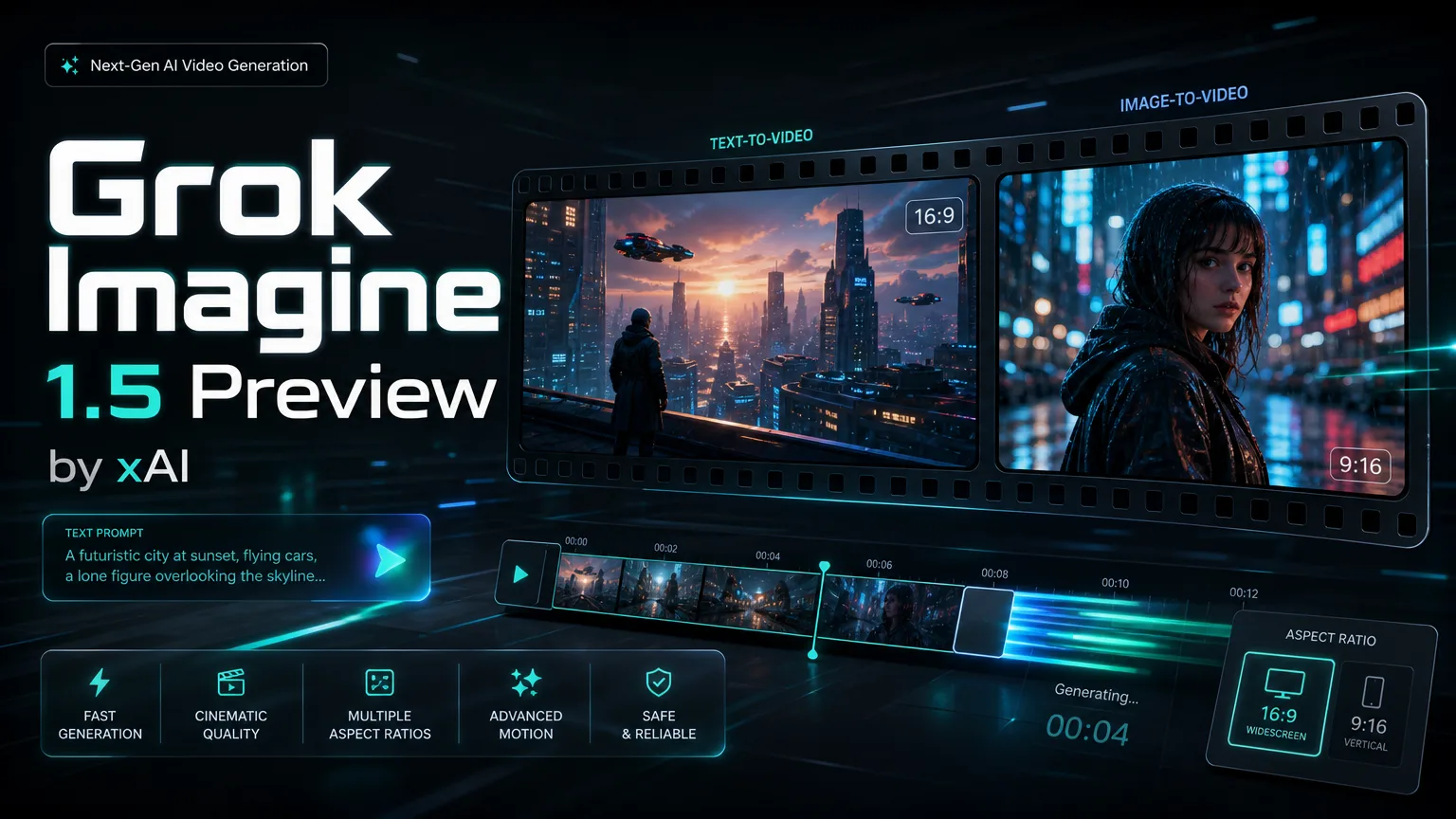
xAI video preview

Grok Imagine 1.5 Preview Video Generator

Create compact AI video drafts with Grok Imagine 1.5 Preview Preview. Start from text or one reference image, then choose aspect ratio, resolution and duration before you spend time on a final production pass.

About

Create image-to-video clips with Grok Imagine 1.5 Preview

Grok Imagine 1.5 Preview is built for fast text-to-video and image-to-video creation. Start from one reference image or a focused text idea, choose 480p or 720p, and make 4-10 second clips with natural motion, camera movement and scene continuity.

Create image-to-video clips with Grok Imagine 1.5 Preview

Core capabilities of Grok Imagine 1.5 Preview

Image-to-video creation, native audio, realistic motion, fast drafts and stronger prompt following in one Grok Imagine 1.5 Preview workflow.

Core Features Overview

Capability

Built for image-to-video with Grok Imagine 1.5 Preview

Use Grok Imagine 1.5 Preview to transform one still image into a short video with natural motion, controlled camera movement and readable scene transitions. It is useful for product demos, character motion tests, social clips and quick visual drafts.

The video shows how one still image can become a short scene with motion, camera movement and continuity.

Single-image video transformation

Capability

Native audio generation in Grok Imagine 1.5 Preview

Grok Imagine 1.5 Preview can generate synchronized audio together with video, reducing separate audio editing work. Use it for dialogue beats, sound effects, ambience and music cues when a concept needs a complete audiovisual draft.

The video demonstrates synchronized visual motion and audio cues generated together in one clip.

Native audio for audiovisual drafts

Capability

Realistic video quality from Grok Imagine 1.5 Preview

Grok Imagine 1.5 Preview improves motion realism, facial nuance, lighting behavior and physical consistency. It helps short AI videos feel more believable while preserving scene structure across the clip.

The video highlights realistic subject motion, lighting and visual consistency across a short scene.

Realistic quality and scene consistency

Capability

Fast AI video drafts with Grok Imagine 1.5 Preview

Grok Imagine 1.5 Preview is suited for fast creative iteration. It helps creators, marketers and product teams test short video ideas quickly while keeping resolution, duration and aspect ratio easy to control.

The video shows a fast draft workflow for turning a concept into a polished short preview.

Fast creative draft generation

Capability

Stronger prompt following in Grok Imagine 1.5 Preview

Grok Imagine 1.5 Preview follows detailed instructions more reliably, so you can specify motion, camera style, character behavior and creative direction with normal language. Focused and concrete instructions usually produce steadier results.

The video demonstrates controlled action and camera direction from a focused creative instruction.

Prompt following for motion control

Grok Imagine 1.5 Preview reviews and tutorials

Grok Imagine Video 1.5 vs Seedance 2.0 | Full AI Video Test

Watch on:

Grok Imagine 1.5 Preview - Mind-Blowing AI Video Just Dropped 🔥 | xAI

Watch on:

I Tried Grok Imagine Video 1.5 Preview… (Honest First Impressions)

Watch on:

Is Grok Imagine Video 1.5 The Best Image-to-Video Model?

Watch on:

Grok Imagine INSANE Update | Text & Image to Video - NO Watermark + Upscale Included (100% Free)

Watch on:

I Tested Grok Imagine Video 1.5 Vs Seedance 2.0 So You Don't Have To

Watch on:
FAQ

Grok Imagine 1.5 Preview FAQ

Grok Imagine 1.5 Preview Video Generator FAQ

It is best for short image-to-video and text-to-video workflows where you need fast motion concepts, social clips, product teasers, creative prototypes or-powered video generation inside a SaaS product.

This integration supports one input image. The single image anchors the subject, composition and style while the prompt controls motion, camera behavior and scene changes.

Yes. Grok Imagine 1.5 Preview can generate synchronized audio in the same workflow, including dialogue, sound effects, ambience and background music.

The page supports 480p and 720p output with 4, 6, 8 or 10 second durations, plus 16:9 and 9:16 aspect ratios.

Use 480p for lower-cost ideation and quick prompt testing. Use 720p when you need clearer detail for stakeholder review, social previews or higher-quality drafts.

Write concrete prompts that name the subject, action, camera movement, environment, lighting and audio intent. Avoid packing too many actions into one short clip.

Yes. Grok Imagine 1.5 Preview is suitable for production-style workloads such as creative tools, automation platforms, marketing systems and AI video generation products.

As with most preview video models, small text, logos, hands, complex long actions and crowded scenes may drift. Use one clean reference image and focused motion instructions for better control.

Testimonials

How teams use Grok Imagine 1.5 Preview

The one-image workflow lets me turn campaign stills into motion drafts before we plan a full shoot.

N

Nina Patel

Content Producer

Nina Patel: “The one-image workflow lets me turn campaign stills into motion drafts before we plan a full shoot.

Eric Chen: “480p is useful for fast testing, and 720p gives enough clarity for stakeholder review.

Laura Kim: “The prompt following is strongest when we keep camera motion and character action very specific.

Marcus Reed: “It fits product workflows because the can create quick video previews without a separate editing queue.

Sofia Garcia: “I use the vertical format for short clips and test multiple hooks before committing budget.

Daniel Wong: “Native audio support reduces the number of tools we need in our prototype pipeline.

Maya Stein: “Reference images help preserve the product silhouette while adding enough movement for demos.

Owen Miller: “The model is useful when speed and predictable controls matter more than long-form continuity.

Explore More AI Video Models

Start a Grok Imagine 1.5 Preview video

Try Grok Imagine 1.5 Preview Video Generator for quick text-to-video and image-to-video drafts.

user 1
user 2
user 3
user 4
user 5

10,000+ users