FireRed Image Edit AI Model
Use the FireRed Image Edit AI model online ? Xiaohongshu FireRed's open-source instruction-driven image editing model for add, remove, replace, background, stylize, text, restoration, portrait makeup, multi-image fusion, and virtual try-on. Built on Diffusion Transformer with bilingual Chinese-English support. Try the model in FireRed Image Edit AI Image Generator.
FireRed Image Edit AI Model Online
FireRed Image Edit is a general-purpose image editing model developed by Xiaohongshu's FireRed team. Built on Diffusion Transformer (DiT) architecture with Qwen2.5-VL as the vision-language encoder, it natively extends text-to-image generation into editing — not a post-hoc add-on. The model supports bilingual Chinese-English instructions and covers 10 editing categories: Add, Adjust, Replace, Remove, Background, Stylize, Text, Restoration, Multi-Image, and Virtual Try-on. It achieves state-of-the-art open-source results on REDEdit-Bench, ImgEdit, and GEdit benchmarks. Version 1.1 further enhances portrait consistency, multi-element fusion, stylized text rendering, and portrait makeup. Licensed under Apache-2.0 for commercial use.
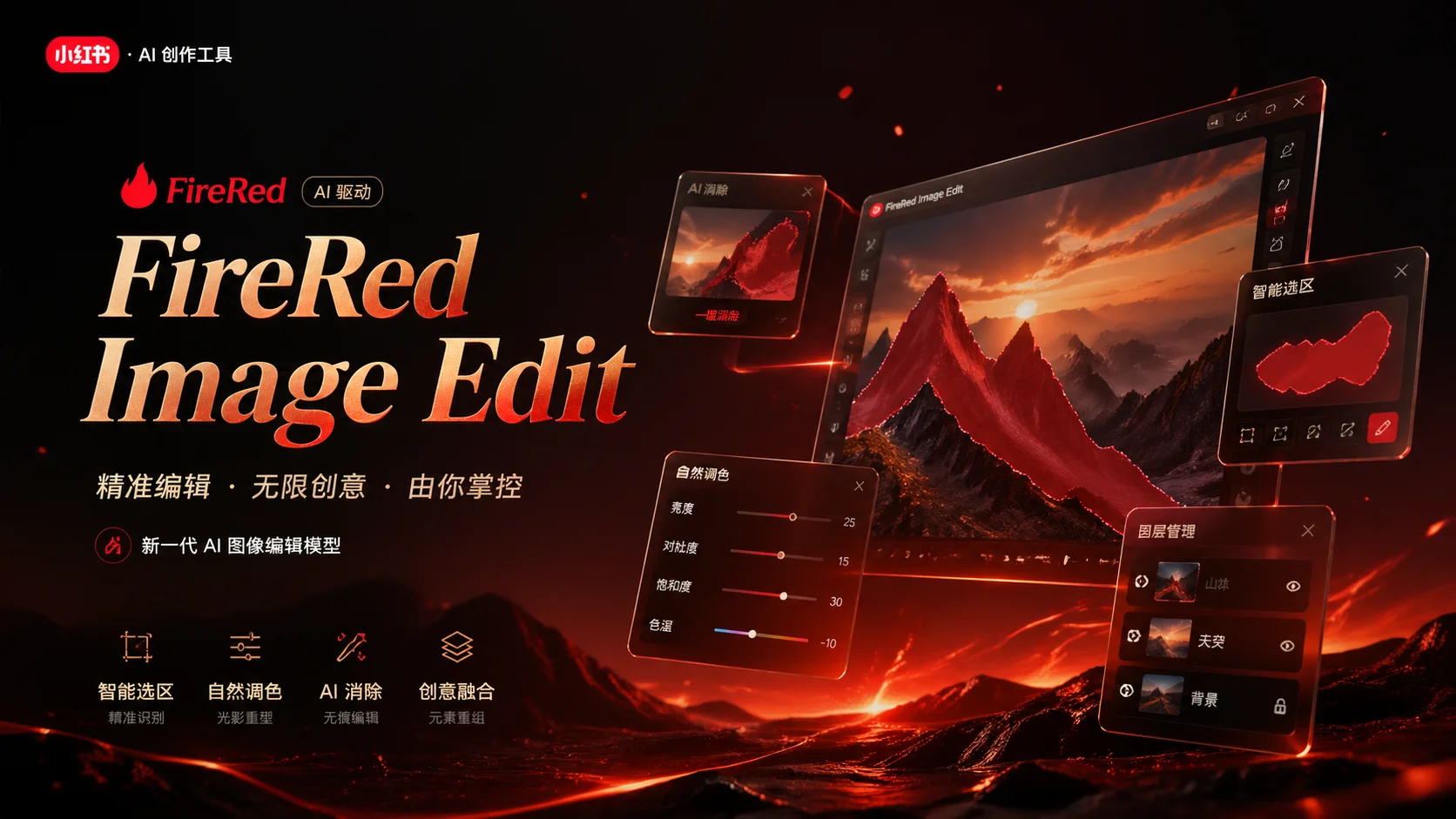
10 Editing Capabilities
Instruction-driven editing across 10 categories — describe what you want in natural language, no manual masking needed
Core Features Overview
Text Editing — Style-Preserving Typography
FireRed Image Edit maintains text styles with high fidelity when editing text within images — preserving original font, size, color, lighting, and perspective. This capability is comparable to closed-source solutions and is ideal for poster editing, signage localization, UI mockup updates, and any scenario requiring precise text modification in existing images.
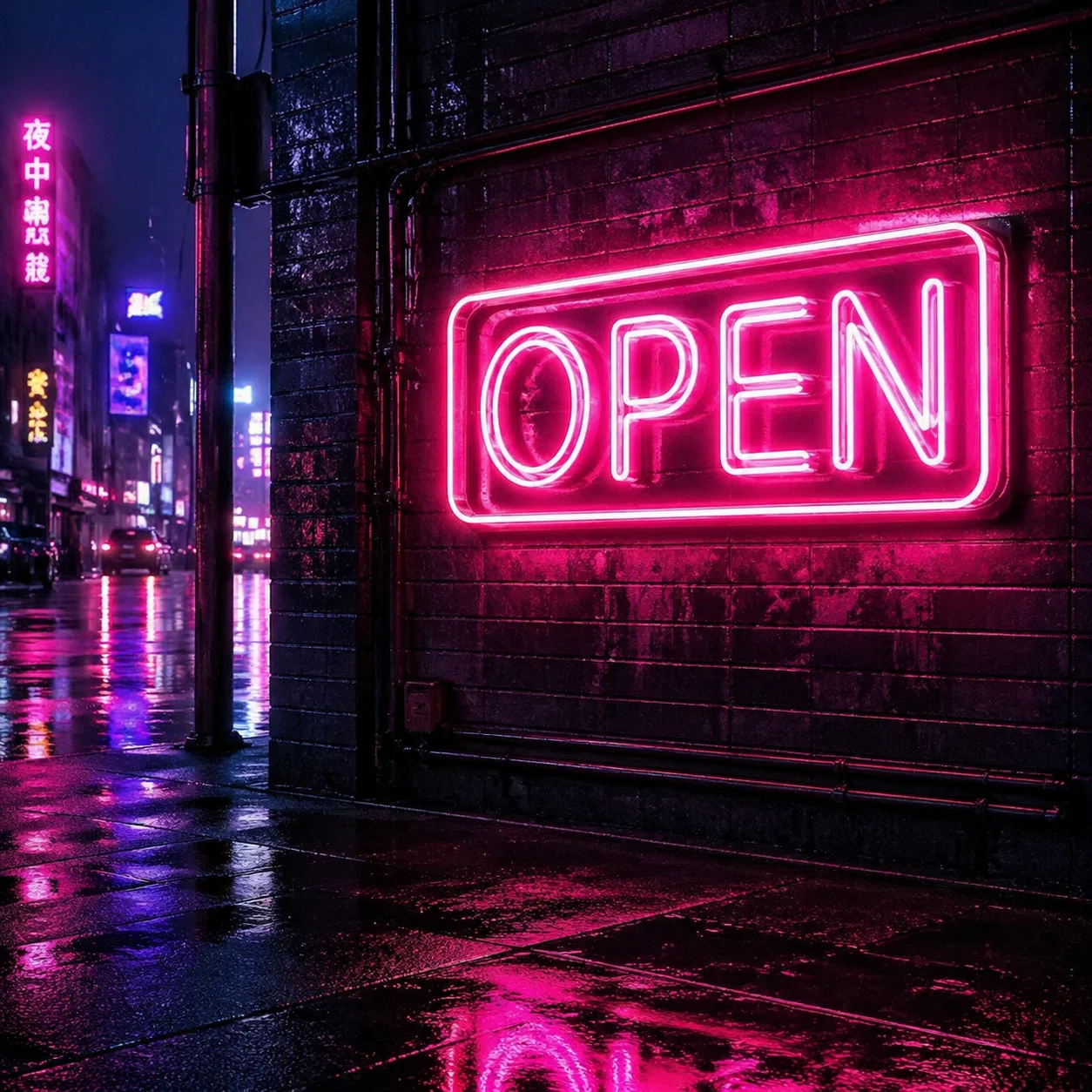
Change the store sign text from 'OPEN' to 'CLOSED' while keeping the same neon style
Text replacement preserving neon font style and lighting
Update the poster headline to '2026 Summer Collection' keeping the same typography
Typography-preserving text editing for commercial design
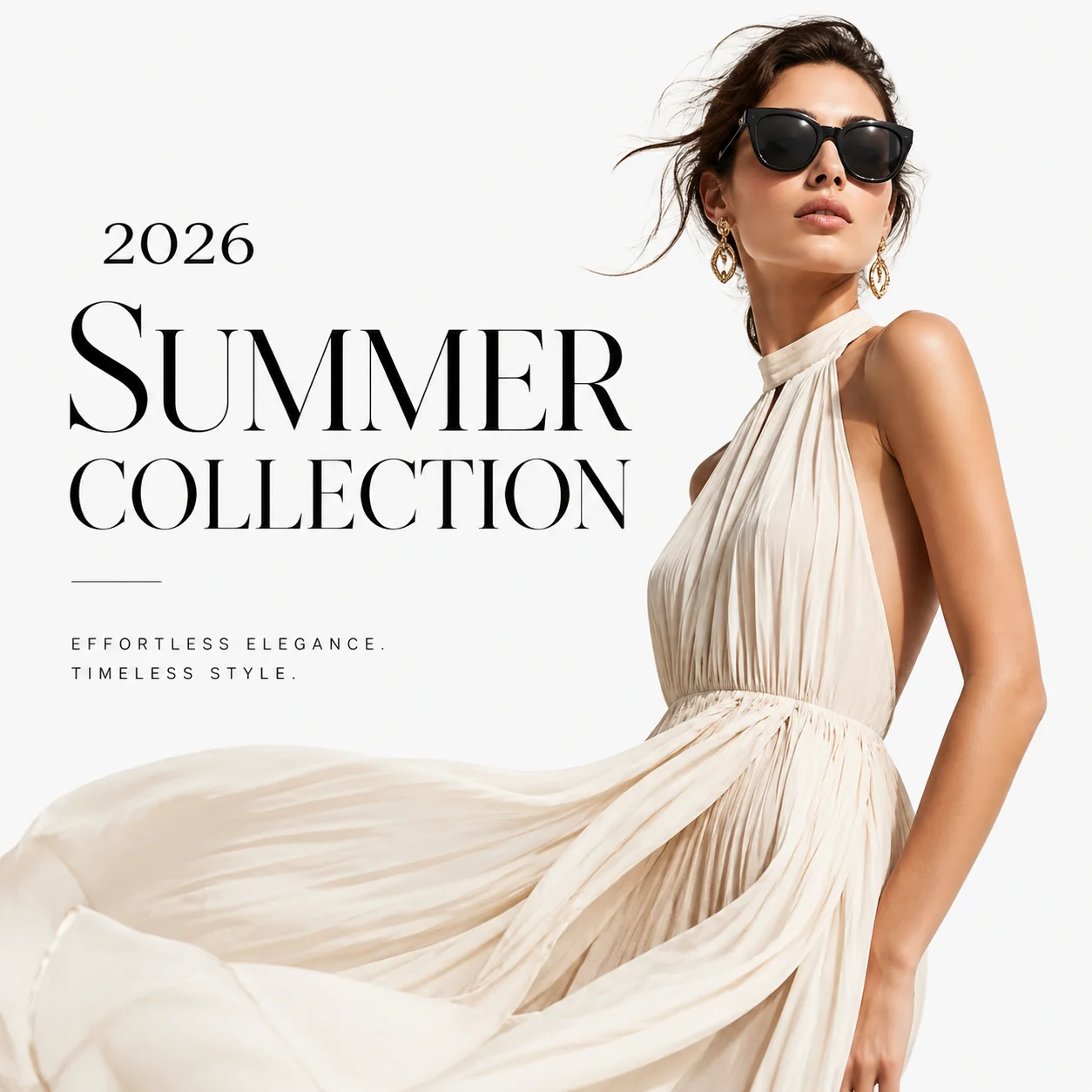
Photo Restoration — Old Photo Repair & Enhancement
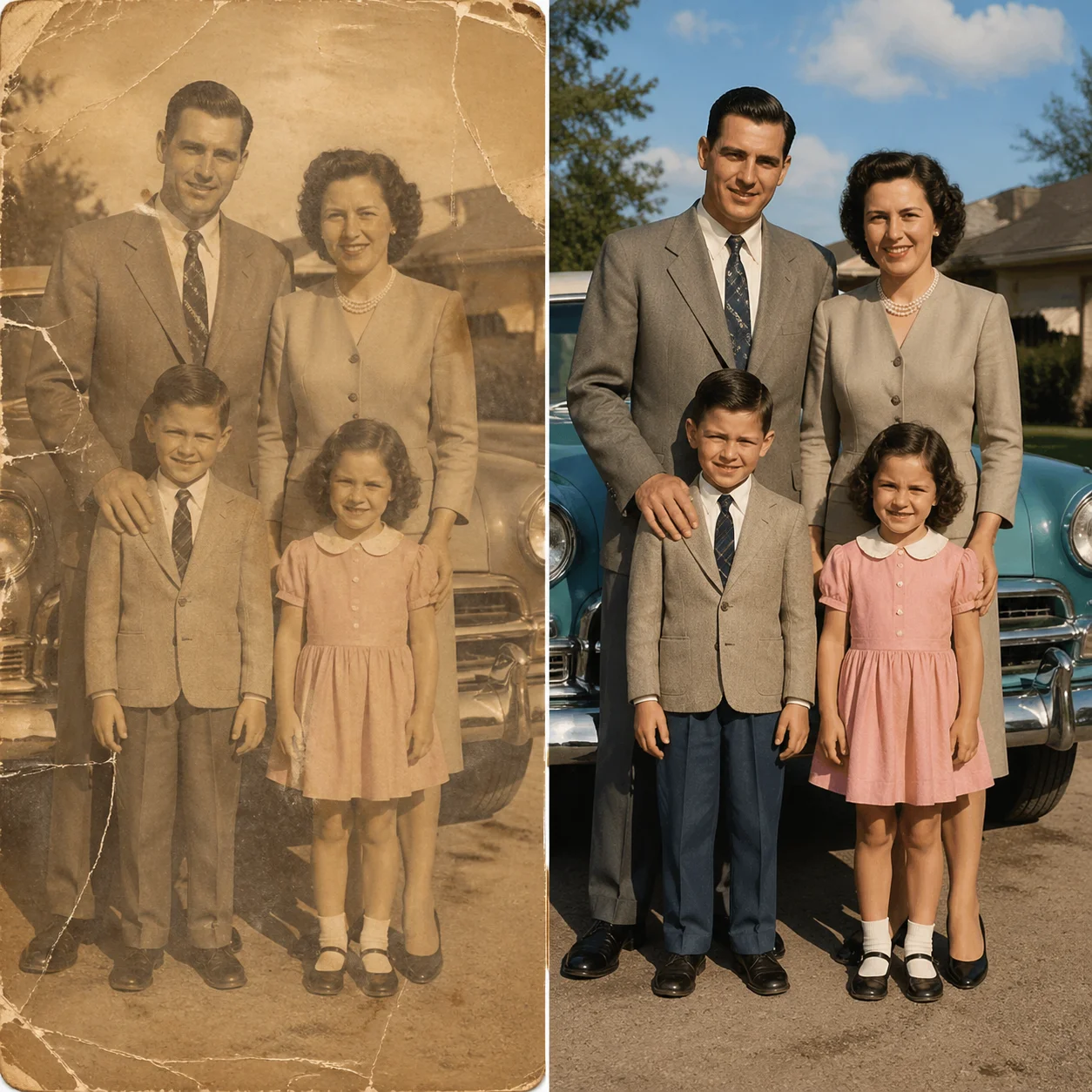
Restore old, damaged, or degraded photographs to high quality. FireRed Image Edit handles scratches, fading, color degradation, noise, and blur — reconstructing missing details while maintaining the authentic character of the original photo. Supports both color correction and structural repair.
Restore this old faded photograph, fix scratches and enhance colors
Old photo restoration with scratch removal and color enhancement
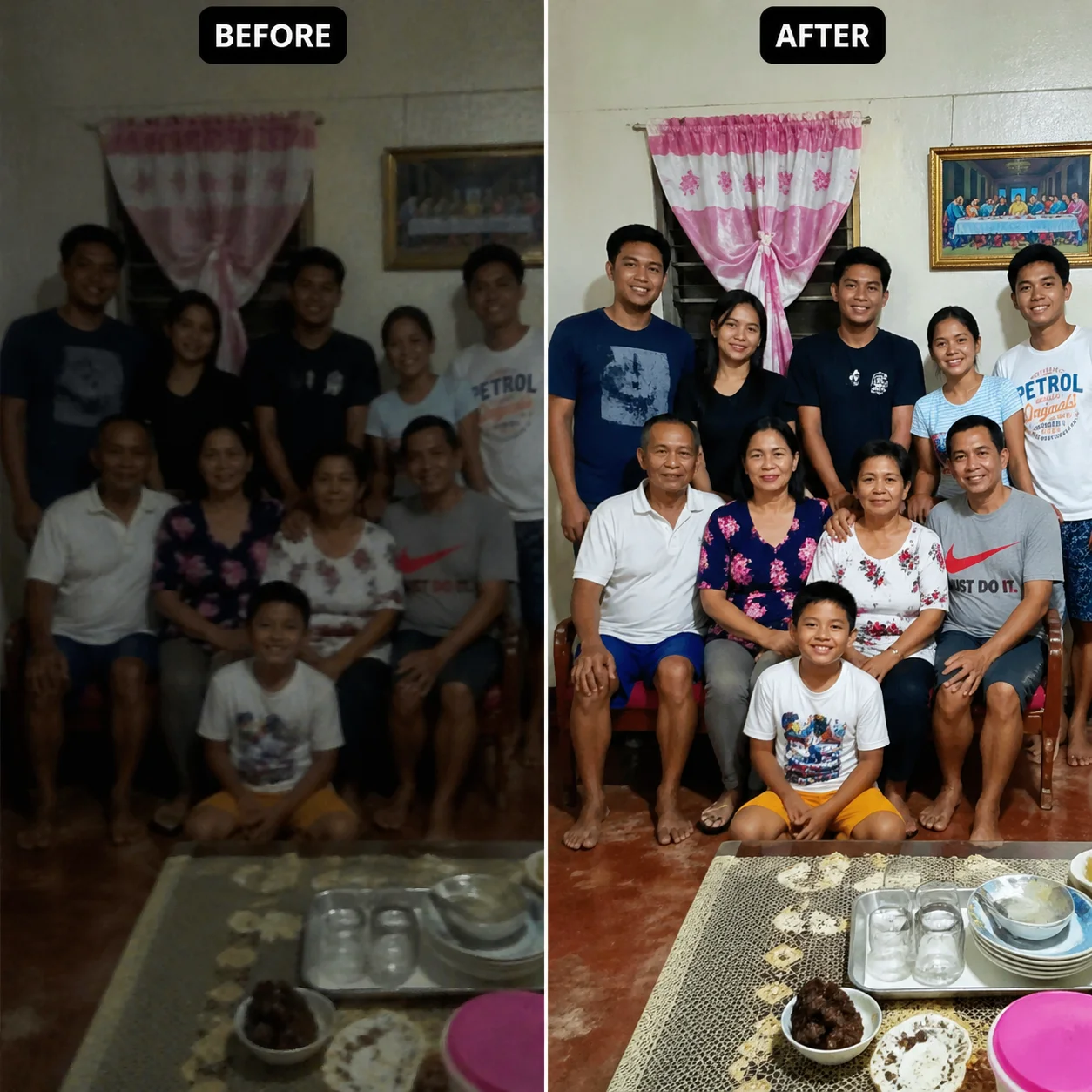
Enhance this low-quality photo, remove noise and sharpen details
Photo enhancement with noise reduction and detail sharpening
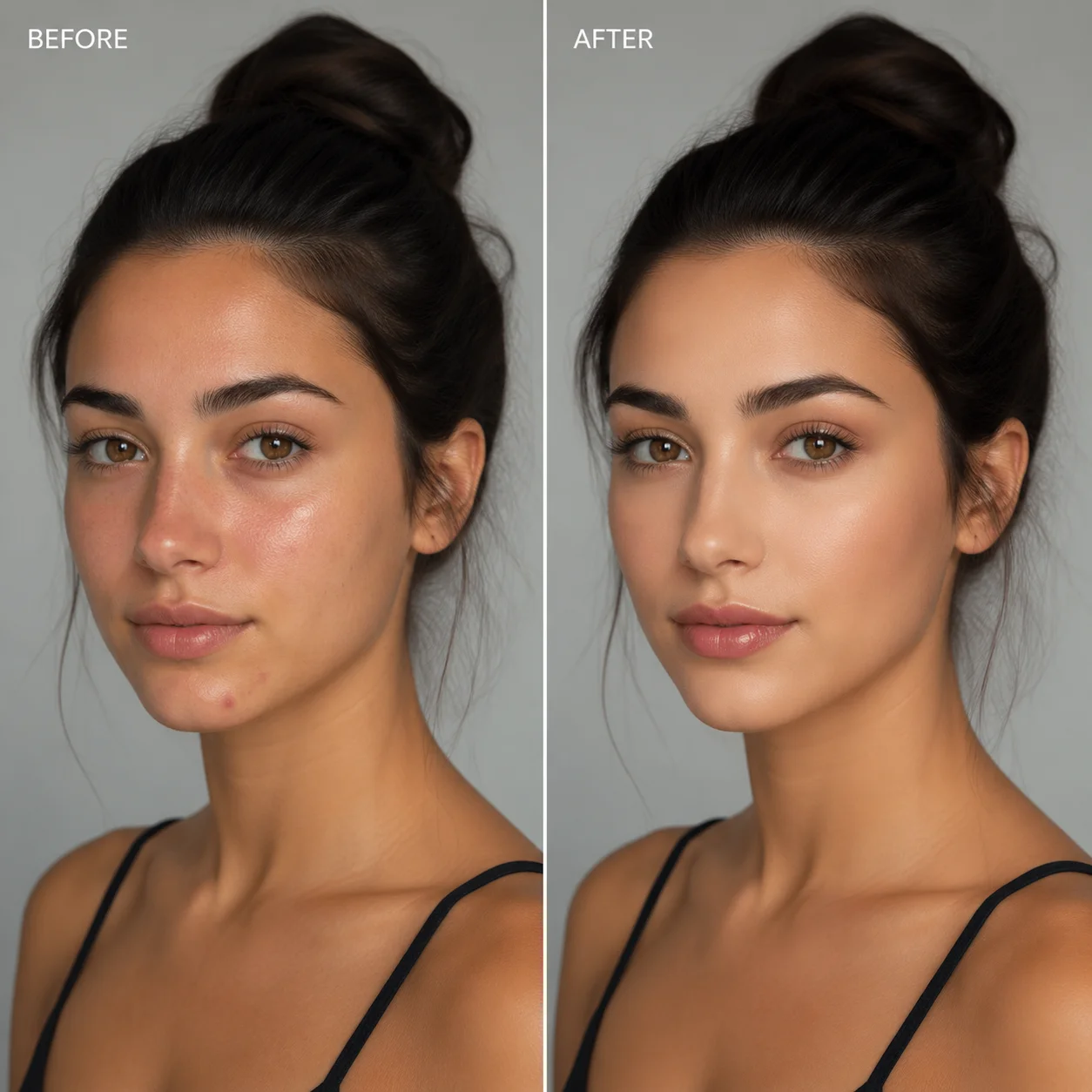
Portrait Editing — Makeup, Hairstyle & Retouching
Version 1.1 significantly enhances portrait editing. Supports professional beauty retouching, skin tone adjustment (yellow/olive skin brightening), dozens of makeup styles from natural beauty to Halloween creative looks, hairstyle transformation, and expression adjustment — all while maintaining facial identity with minimal drift. The LoRA-Zoo also provides a dedicated BeautyMaster adapter for enhanced beauty editing.
Apply natural beauty retouching, smooth skin and brighten complexion
Professional beauty retouching with identity preservation
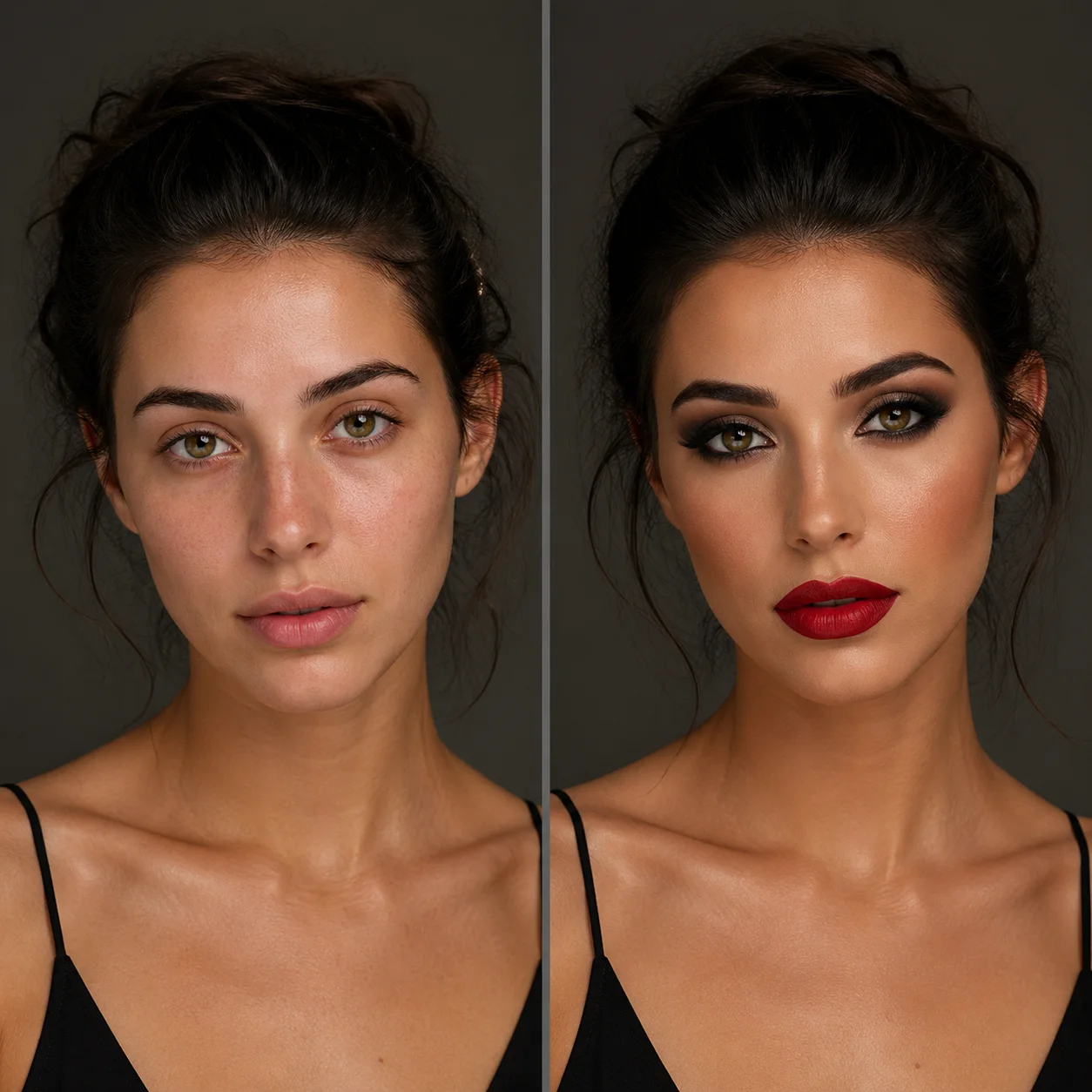
Apply elegant evening makeup with smoky eyes and red lips
Creative makeup application maintaining facial identity
Multi-Image Editing — Up to 3 Reference Images
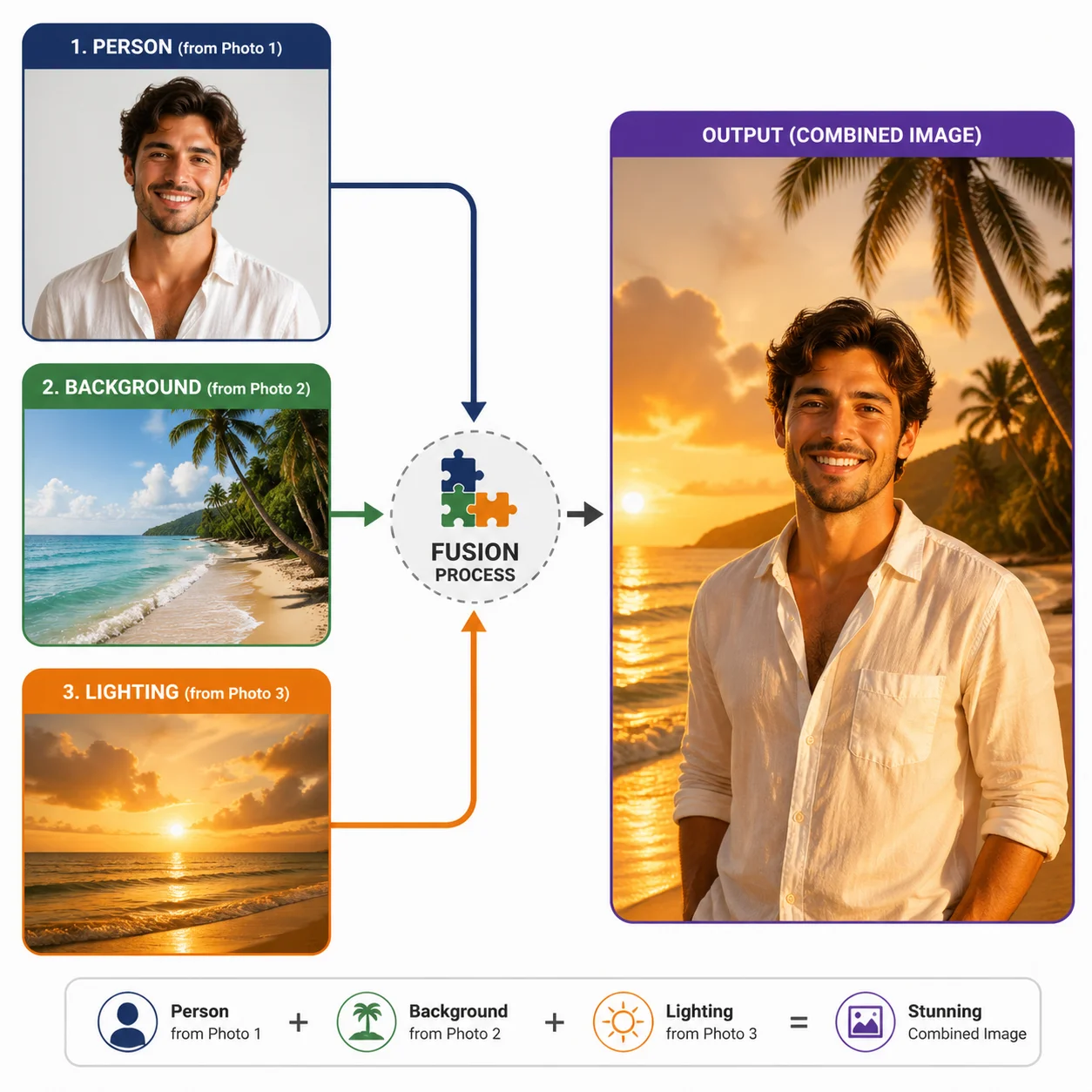
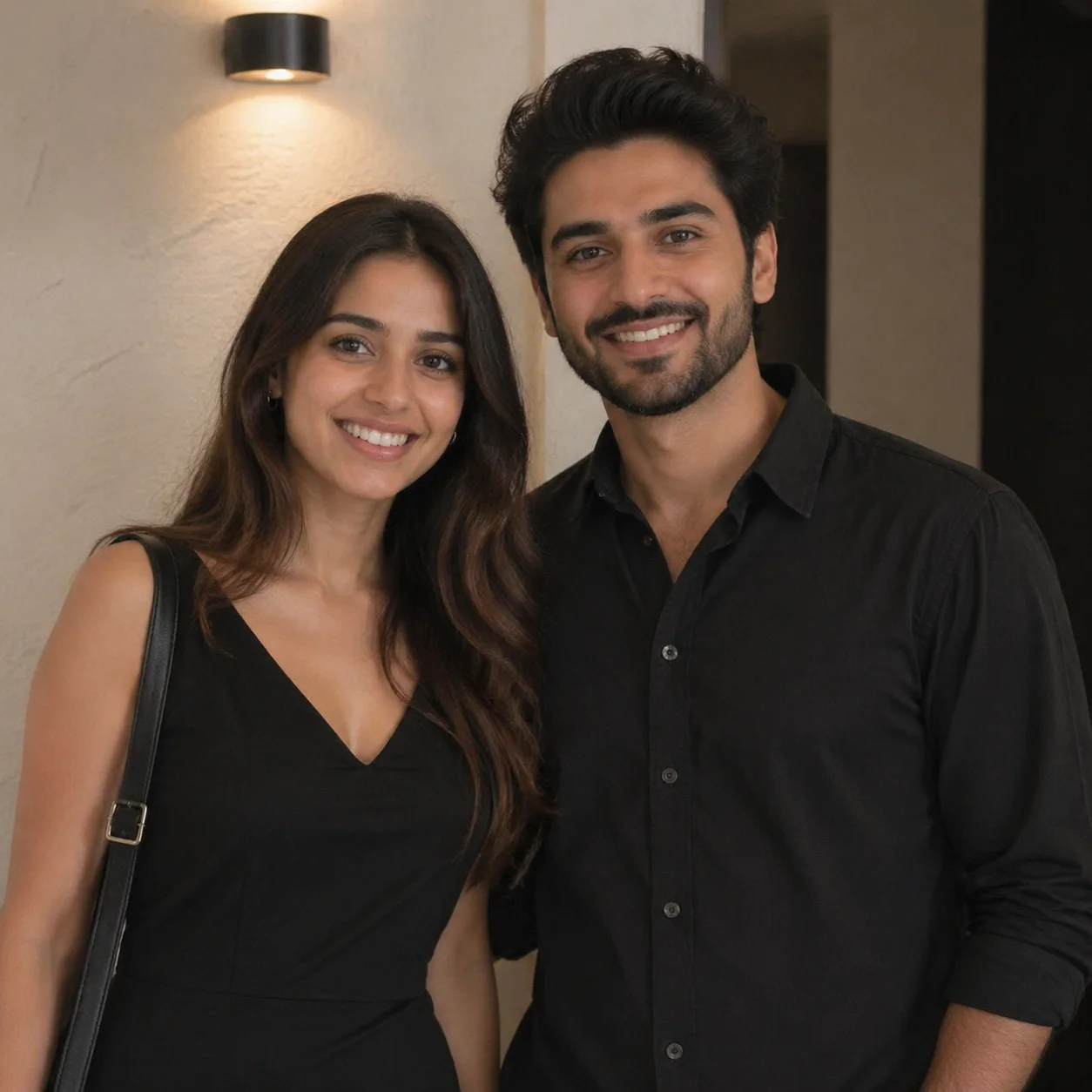
FireRed Image Edit supports up to 3 reference images simultaneously for multi-image conditioning. This enables identity transfer, reference-guided editing, group photo composition, and creative multi-element fusion. Version 1.1 significantly improves multi-image injection reliability with better lighting, perspective, and style harmonization across sources.
Combine the person from image 1 with the background from image 2 and the lighting style from image 3
Three-image fusion with automatic harmonization
Create a group photo combining the people from these two separate photos
Group photo composition from separate source images
Virtual Try-On — Clothing & Outfit Swap
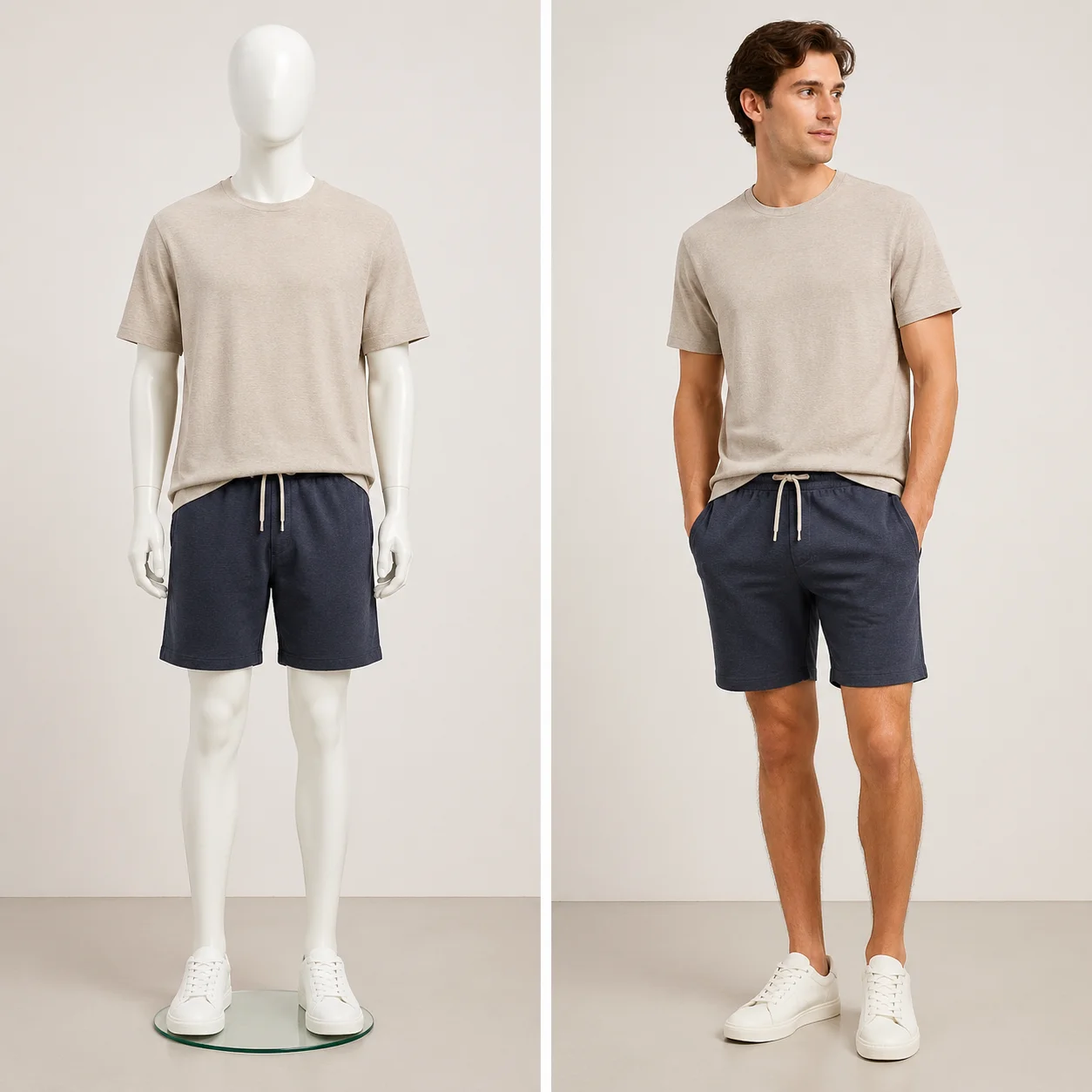
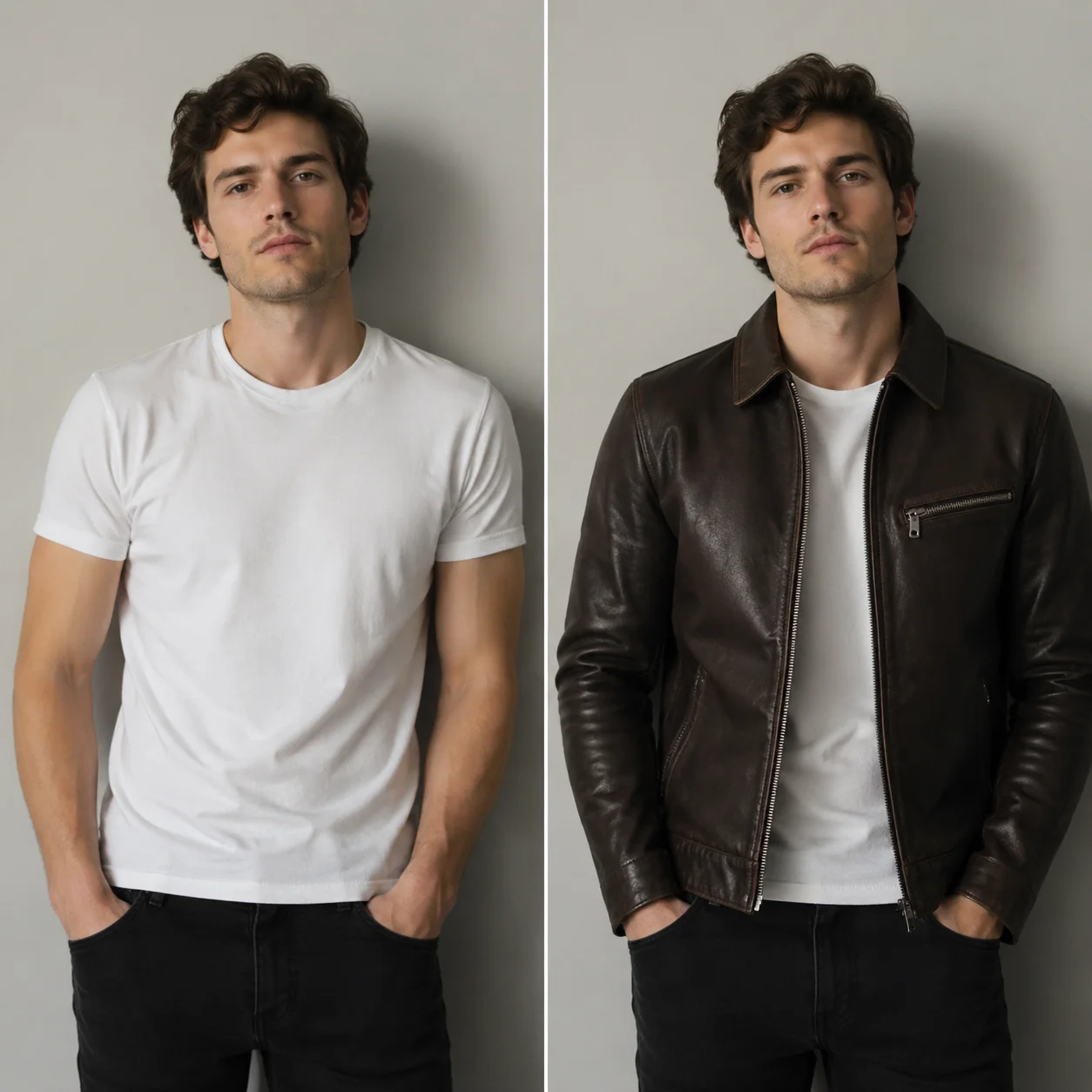
Upload a person photo and an outfit photo, then instruct the model to combine them. FireRed Image Edit handles natural fabric draping, body proportion adaptation, lighting matching, and shadow generation. Reference images by number in your prompt for precise control — 'Put the person from Figure 1 in the outfit from Figure 2'. Ideal for e-commerce product visualization and fashion content creation.
Put the person from image 1 in the outfit from image 2
Virtual try-on with natural fabric draping and body adaptation
Dress this model in the jacket from the second photo
Clothing swap with lighting and proportion matching
FireRed Image Edit FAQ
FireRed Image Edit AI Model FAQ
FireRed Image Edit is an open-source, instruction-driven AI image editing model developed by Xiaohongshu's FireRed team. Built on Diffusion Transformer (DiT) architecture with Qwen2.5-VL as the vision-language encoder, it covers 10 editing categories: Add, Adjust, Replace, Remove, Background, Stylize, Text, Restoration, Multi-Image, and Virtual Try-on. Licensed under Apache-2.0 for commercial use.
The 10 categories are: Add (insert new elements), Adjust (modify attributes like color/lighting/expression), Replace (swap objects), Remove (delete unwanted elements), Background (scene replacement), Stylize (artistic style transfer), Text (edit text preserving font style), Restoration (old photo repair), Multi-Image (up to 3 reference images), and Virtual Try-on (clothing swap).
Version 1.1 brings four major improvements: enhanced portrait consistency with reduced identity drift, native multi-image conditioning for more reliable identity transfer and virtual try-on, improved stylized text rendering for decorative typography, and comprehensive portrait makeup supporting dozens of styles from professional retouching to creative looks.
Yes. FireRed Image Edit natively supports bilingual Chinese-English instructions. You can describe edits in either language, and the model understands complex instructions including cultural context. It shows particular strength on Chinese visual data in the REDEdit-Bench benchmark.
Upload up to 3 reference images and describe how to combine them using natural language. Reference images by number — for example, 'Put the person from Figure 1 in the outfit from Figure 2 with the background from Figure 3'. The model automatically harmonizes lighting, perspective, and style across all sources.
Yes. FireRed Image Edit provides free credits to use FireRed Image Edit with no watermark. All 10 editing capabilities are available. Sign up and start editing immediately.
Yes. The model is Apache-2.0 licensed, allowing commercial use. All images edited through FireRed Image Edit include full commercial usage rights for marketing, e-commerce, social media, and any business purpose.
FireRed Image Edit-LoRA-Zoo provides specialized LoRA adapters built on top of v1.1: CoverCraft for artistic typography and poster design, BeautyMaster for enhanced beauty editing, and a Lightning adapter for accelerated 8-step inference. These extend the base model's capabilities for specific use cases.
FireRed Image Edit achieves state-of-the-art open-source results on multiple benchmarks including REDEdit-Bench, ImgEdit, and GEdit (both English and Chinese). It leads in instruction following accuracy, image quality, and visual coherence among open-source models.
What Creators Say About FireRed Image Edit
“The virtual try-on is a game-changer for product shoots. We show clothing on different models without reshooting — saves days of studio time. The multi-image fusion handles lighting automatically.”
Sarah Chen: “The virtual try-on is a game-changer for product shoots. We show clothing on different models without reshooting — saves days of studio time. The multi-image fusion handles lighting automatically.”
Marcus Liu: “Instruction-driven editing feels natural. I describe what I want changed and it handles the rest. Identity preservation during style transfer is impressive — faces stay recognizable across any artistic style.”
Emily Zhang: “Background replacement used to take hours in Photoshop. Now I describe the scene and FireRed handles lighting, shadows, everything. Bilingual support is perfect for our global campaigns.”
Try FireRed Image Edit Free
Experience FireRed Image Edit AI Model — 10 editing capabilities, bilingual instructions, identity-preserving edits. Start editing free with no watermark


10,000+ users