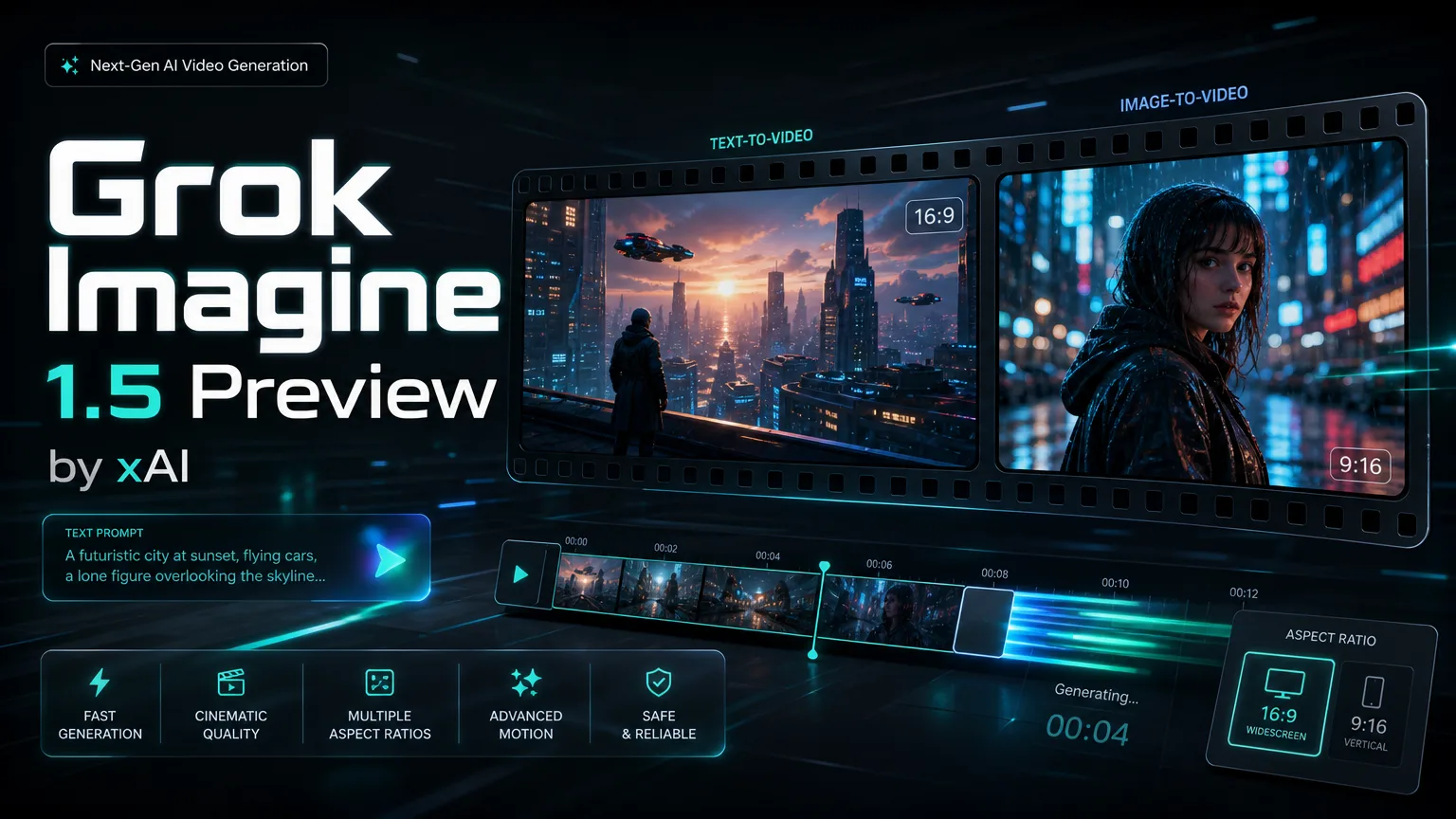
Grok Imagine 1.5 Preview の画像から動画
Grok Imagine 1.5 Preview を使うと、1枚の静止画像を自然な動き、制御されたカメラワーク、わかりやすいシーン遷移を持つ短い動画に変換できます。製品デモ、キャラクターの動作確認、SNS向けクリップ、素早いビジュアル下書きに適しています。
右側の動画は、1枚の静止画像が動き、カメラワーク、一貫性のある短いシーンになる様子を示しています。
1枚画像からの動画化例
Grok Imagine 1.5 Preview Previewで短い動画案をすばやく作れます。テキストまたは1枚の参照画像から始め、アスペクト比、解像度、秒数を決めてから本制作に進めます。
Grok Imagine 1.5 Preview は、テキストから動画、画像から動画を素早く作るためのモデルです。1枚の参照画像または明確なアイデアから始め、480p または 720p、4-10 秒の短い動画を自然な動き、カメラワーク、シーンの一貫性とともに生成できます。
画像から動画、ネイティブ音声、リアルな動き、素早い下書き、より強いプロンプト追従を 1 つのワークフローで扱えます。
Grok Imagine 1.5 Preview を使うと、1枚の静止画像を自然な動き、制御されたカメラワーク、わかりやすいシーン遷移を持つ短い動画に変換できます。製品デモ、キャラクターの動作確認、SNS向けクリップ、素早いビジュアル下書きに適しています。
右側の動画は、1枚の静止画像が動き、カメラワーク、一貫性のある短いシーンになる様子を示しています。
1枚画像からの動画化例
Grok Imagine 1.5 Preview は動画と同時に同期した音声も生成でき、別途音声編集を行う手間を減らします。会話、効果音、環境音、音楽を含む完成度の高い視聴覚下書きに使えます。
右側の動画は、映像の動きと音声要素が同じクリップ内で同期している例です。
視聴覚下書き向けネイティブ音声
Grok Imagine 1.5 Preview は動きのリアリティ、表情のニュアンス、光の表現、物理的な一貫性を高めます。短いAI動画をより自然に見せ、クリップ全体でシーン構造を保ちます。
右側の動画は、短いシーンの中でリアルな動き、光、視覚的一貫性を示しています。
リアルな品質とシーン一貫性
Grok Imagine 1.5 Preview は素早いクリエイティブ検証に適しています。クリエイター、マーケティングチーム、製品チームが短い動画案を素早く試し、解像度、長さ、画角を簡単に調整できます。
右側の動画は、コンセプトを短時間で洗練された短いプレビューにする流れを示しています。
高速なクリエイティブ下書き
Grok Imagine 1.5 Preview は詳細な指示への追従がより安定しており、動き、カメラスタイル、キャラクターの行動、クリエイティブ方向を自然言語で指定できます。具体的で絞った指示ほど安定しやすくなります。
右側の動画は、明確なクリエイティブ指示から動きとカメラ方向を制御する例です。
動き制御のためのプロンプト追従
Grok Imagine 1.5 Preview 動画生成 FAQ
It is best for short image-to-video and text-to-video workflows where you need fast motion concepts, social clips, product teasers, creative prototypes or-powered video generation inside a SaaS product.
This integration supports one input image. The single image anchors the subject, composition and style while the prompt controls motion, camera behavior and scene changes.
Yes. Grok Imagine 1.5 Preview can generate synchronized audio in the same workflow, including dialogue, sound effects, ambience and background music.
The page supports 480p and 720p output with 4, 6, 8 or 10 second durations, plus 16:9 and 9:16 aspect ratios.
Use 480p for lower-cost ideation and quick prompt testing. Use 720p when you need clearer detail for stakeholder review, social previews or higher-quality drafts.
Write concrete prompts that name the subject, action, camera movement, environment, lighting and audio intent. Avoid packing too many actions into one short clip.
Yes. Grok Imagine 1.5 Preview is suitable for production-style workloads such as creative tools, automation platforms, marketing systems and AI video generation products.
As with most preview video models, small text, logos, hands, complex long actions and crowded scenes may drift. Use one clean reference image and focused motion instructions for better control.
“The one-image workflow lets me turn campaign stills into motion drafts before we plan a full shoot.”
Nina Patel: “The one-image workflow lets me turn campaign stills into motion drafts before we plan a full shoot.”
Eric Chen: “480p is useful for fast testing, and 720p gives enough clarity for stakeholder review.”
Laura Kim: “The prompt following is strongest when we keep camera motion and character action very specific.”
Marcus Reed: “It fits product workflows because the can create quick video previews without a separate editing queue.”
Sofia Garcia: “I use the vertical format for short clips and test multiple hooks before committing budget.”
Daniel Wong: “Native audio support reduces the number of tools we need in our prototype pipeline.”
Maya Stein: “Reference images help preserve the product silhouette while adding enough movement for demos.”
Owen Miller: “The model is useful when speed and predictable controls matter more than long-form continuity.”
Grok Imagine 1.5 Preview 動画生成でテキスト動画と画像動画の草稿を作成します。
10,000+ users