FireRed Image Edit
  • Home
  • Reviews
  • Assets
  • Coupons
  • Pricing
Models
FireRed Image EditGrok 4.2 ImageFLUX.2 Klein 9BNano BananaGLM ImageNano Banana 2Nano Banana 2.1Nano Banana 2 LiteNano Banana ProSeedream 5.0 LiteSeedream 5.0 FlashSeedream 5.0 ProGPT-Image 1.5GPT Image 2GPT Image 2.5GPT Image 2.5 FlareGPT Image 2.5 SunburstSeedream 4.5FLUX.2FLUX 3 KleinZ-ImageGrok Imagine Image 2Qwen Image 3Veo 3.1 QualitySora 2HappyHorseWan 2.6Kling 3.0Kling 3.0 OmniKling 4.0Kling 3.0 Motion ControlKling Motion ControlKling 2.6Seedance 1.5 ProSeedance 2Wan 3.0 VideoWan 3.0 Video PrimeSeedance 2.5Seedance 2 FastSeedance 2 MiniGrok ImagineGrok Imagine Video 1.5 PreviewGrok Imagine Video 1.5 LiteGemini OmniGemini Omni 1.1 FlashMiniMax H3MiniMax H3 MaxMiniMax H3 Max TurboPixVerse V6 MaxPixVerse V6Vidu Q4
FireRed Image EditFireRed Image Edit

Plan Your Next Video with Kling 4.0

Carry a visual idea from your reference images into a moving shot. Start with text, guide the first and last frames, or combine references for a 3–30-second draft.

Plan Your Next Video with Kling 4.0
  1. Home
  2. /
  3. AI Video Generator
  4. /
  5. Plan Your Next Video with Kling 4.0
About

A reference-led way to develop a moving scene

Kling 4.0 in FireRed Image Edit gives you several starting points for a video: a written shot brief, a first image with an optional last image, or a set of visual references. Use those inputs to explore product motion, character actions or a storyboard sequence. Choose 720p or 1080p and evaluate the draft across its full timeline before building your final edit.

A reference-led way to develop a moving scene

Choose the right starting point for the shot

Separate frame planning, reference preparation and output review.

Start with a shot that has a purpose

Think about the role of the clip in your edit: a product reveal, a character reaction or a transition between storyboard moments. Name the subject, action and camera movement in the brief. Text-to-video does not need an upload. For a complex sequence, test one movement first; exact typography and detailed choreography can require further work.

Give each reference a clear job

For frame generation, upload a first image and optionally a final image. The current FireRed selector accepts JPG, PNG and WebP images up to 30 MB. Reference mode supports up to 10 images and one 2–30-second video. Identify the materials with @image_1 or @video_1 and upload video to FireRed first. A reference guides a new shot rather than directly editing the source clip.

Set the pace and frame before generating

Available output is 720p or 1080p for a whole-second duration from 3 to 30 seconds; the default is five seconds at 720p. Text and reference workflows offer 16:9, 9:16, 1:1 and 21:9, with automatic framing where the selected mode supports it. First/last-frame generation follows the first image. Prepare that crop in advance; 4K output is not available here.

Describe the action and follow the task

Sign in, choose text, frame or reference input, then describe what should happen and any relevant sound. Confirm the displayed settings and credit total before submitting once. Kling can generate native audio, but FireRed has no separate sound switch, voice upload, intermediate-keyframe editor or reusable character library for this model. Track the task status, then inspect the completed draft.

Include reference video in the budget

The KIE route costs 171 credits for five seconds at 720p without a video reference, or 255 at 1080p. A video reference adds input time: billed seconds equal output duration plus the greater of input and output duration. For example, a three-second reference and five-second output cost 204 credits at 720p. Read the revised estimate after changing inputs or settings.

Judge continuity across the whole shot

Compare the result with your references from beginning to end. Watch for changing faces, product proportions, drifting backgrounds, unexpected text and abrupt motion; listen to the sound as well. Download and open the file before placing it in your timeline. Add exact graphics and final cuts in your editor. Processing time and fidelity vary, and your reference material must be appropriate for your intended use.

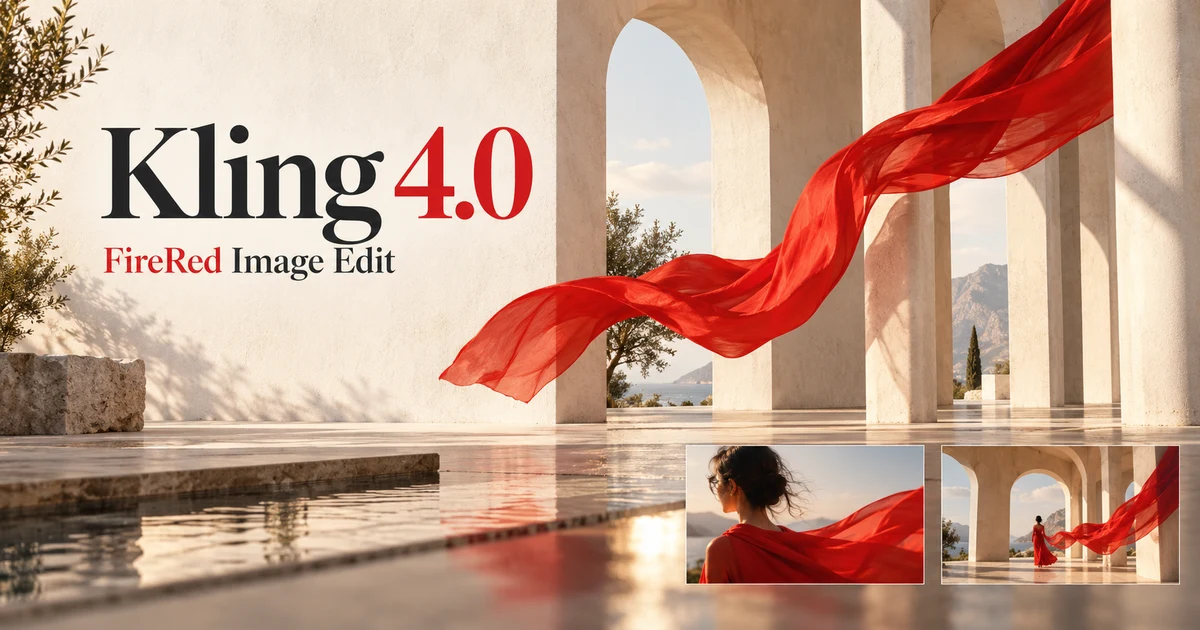
Kling 4.0 promotional demonstration

Supplied promotional media; the cover is an original AI illustration. Neither is a site generation test.

Kling 4.0 promotional demonstration

FAQ

Kling 4.0 questions

Plan Your Next Video with Kling 4.0 FAQ

01

Use text when you are exploring a shot without fixed artwork. Use frames when the opening image matters and you may want an ending image. Use reference mode when several images or a video should guide a new generation. Keep the subject and movement clear in every mode.

02

Upload the first image and, if needed, a final image. The current FireRed controls accept JPG, PNG or WebP up to 30 MB. Crop the first image to your intended composition because it sets the frame. Intermediate keyframes are not exposed in this workspace.

03

Reference mode accepts up to 10 images and one video lasting 2–30 seconds. Refer to them with @image_1, @image_2 or @video_1. Upload the video to FireRed before submission. It guides a new clip and contributes to the price; it does not turn this into a direct source-video editor.

04

Choose a whole-second duration between 3 and 30 seconds and either 720p or 1080p. The starting setting is five seconds at 720p. There is no 4K output setting for Kling 4.0 here.

05

Yes. Text and reference workflows include 9:16 and 21:9 alongside 16:9 and 1:1. Automatic framing depends on the selected input workflow. First/last-frame output follows the first image, so set its crop before uploading.

06

Video-reference pricing includes the output plus the greater of the input and output durations. A five-second output without video references costs 171 credits at 720p or 255 at 1080p; a three-second reference with five seconds of output costs 204 at 720p. Always check the current estimate.

07

Native audio may be generated, but this workspace does not provide a separate sound switch, voice uploads, intermediate keyframes or a reusable character library for Kling 4.0. The available controls are the features offered here, which may differ from the wider Kling platform.

08

It is supplied promotional media for the model. The FireRed cover is original AI artwork. Neither is evidence of a generation task performed on this site. Use your own draft to assess continuity, sound and reference accuracy before relying on it in a final edit.

Explore More AI Video Models

Veo 3.1 Free AI Video Generator

Veo 3.1 Free AI Video Generator

New

Veo 3.1 is Google DeepMind's most advanced free AI video generator with native audio generation. It creates synchronized sound effects, dialogue, and environmental audio alongside 1080p video at 24 FPS — all available online with no watermark. Generate unlimited HD videos up to 8 seconds per clip, extendable to 60+ seconds.

Try now
Sora 2

Sora 2

Sora 2 is OpenAI's flagship video generation model capable of producing high-quality videos from both text descriptions and image inputs. It understands complex scene compositions, character interactions, camera movements, and real-world physics to deliver cinematic results. Sora 2 represents a major leap in AI video generation with improved temporal consistency, longer duration support, and more faithful prompt interpretation.

Try now
HappyHorse

HappyHorse

New

HappyHorse is Alibaba's next-generation AI video model built on a native multimodal architecture. A single unified model covers four production scenarios — text-to-video, image-to-video, multi-image reference-to-video, and in-place video editing — with native audio-video synthesis, 720p/1080p output, and deep adaptation for advertising, e-commerce, short drama, and social creative content production.

Try now
Wan 2.6

Wan 2.6

New

Wan 2.6 is Alibaba's video generation model delivering high-quality videos with diverse style support, smooth motion, and cinematic output from text prompts and reference images.

Try now
Kling 2.6

Kling 2.6

Kling 2.6 is Kuaishou's latest AI video generation model, recognized for its exceptional motion quality and cinematic output. Built on advanced spatiotemporal modeling, Kling 2.6 produces videos with fluid character movement, dynamic camera transitions, and rich visual detail. It supports both text-to-video and image-to-video generation, making it a versatile tool for creators seeking professional-quality AI video content.

Try now
Seedance 1.5 Pro

Seedance 1.5 Pro

Seedance 1.5 Pro is ByteDance's professional AI video generation model with a focus on dance, motion, and dynamic human movement. It produces fluid, natural choreography with accurate body mechanics, supporting text-to-video and image-to-video generation at up to 1080p resolution and 12 seconds duration.

Try now

Turn your references into a Kling 4.0 draft

Choose the input workflow, prepare your images or video and describe the movement. Review the duration, resolution and credit estimate before you submit.

Create with Kling 4.0
user 1
user 2
user 3
user 4
user 5

10,000+ users

FireRed Image EditFireRed Image Edit

FireRed Image Edit is an open-source, general-purpose image editing model by Xiaohongshu, trained on 1.6 billion samples for production-grade editing.

AI Image Generator

  • GPT-Image 2
  • Seedream 5.0
  • Nano Banana 2
  • Grok 4.2 Image
  • Nano Banana Pro

AI Video Generator

  • Gemini Omni
  • HappyHorse
  • Seedance 2
  • Veo 3.1
  • Grok Imagine 1.5
  • Wan 2.6

AI Tools

  • Background Remover
  • Image Upscaler
  • Photo Restoration
  • AI Background Changer
  • AI Object Remover
  • AI Product Photo Generator

Video Effects

  • AI Hug Video
  • AI Kiss Video
  • AI Dance Video
  • Earth Zoom Out
  • Bullet Time Video
  • Product 360° Video

Explore

  • Showcases
  • Blog
  • Pricing
  • API
  • Changelog
  • About
© 2026 FireRed Image Edit· All rights reserved
Privacy PolicyTerms of ServiceRefund PolicyRefund RequestAbout Us
DeutschEnglishEspañolFrançais繁體中文日本語한국어Türkçe中文עבריתPolski
HomeAI ToolsAssetsProfile




